Invoice From the Van in 2 Minutes: Mobile Invoicing for Tradespeople
Mobile invoicing means creating, sending, and tracking invoices from an app on your phone or tablet, instead of a spreadsheet or paper book. It matters most to sole traders and on-site tradespeople because it closes the gap between finishing a job and getting paid. Invoice from the van before the next call-out and you skip the evening admin session entirely, and clients pay faster too.
TL;DR:
- Mobile invoicing apps enable instant billing on-site, which can notably improve cash flow and reduce administrative hours compared to traditional methods.
- Key features to look for include offline draft capacity, automated reminders, branded templates, receipt capture, and clear payment options with transparent fees.
- Accurate, compliant invoices should include a unique number, business and customer addresses, detailed job descriptions, and the correct VAT and date information.
- Using trade-specific apps like TradeTally provides tailored templates, automatic tax export, and integrated expense tracking designed for on-site tradespeople.
- The biggest pitfalls involve timing invoices after jobs are done and neglecting basic details, both of which delay payments and can be easily avoided with proper setup.
Table of Contents
- What is mobile invoicing and how does it work?
- What are the benefits of mobile invoicing for sole traders?
- Which features matter most in a mobile invoicing app?
- How do you create and send an invoice from your phone?
- What are the security risks and limitations of mobile invoicing?
- What must a legally compliant invoice include?
- Why does TradeTally suit tradespeople who need mobile invoicing?
- How do you fix common problems in a mobile invoicing app?
- How do you protect client data beyond the legal minimum?
- How do popular mobile invoicing apps compare?
- How does mobile invoicing improve cash flow management?
- What do mobile invoicing apps cost, and what hidden fees should you watch for?
- Simon’s take: the mistakes that quietly cost tradespeople money
- Try TradeTally for invoicing you can actually do from the van
- Sources
- FAQ
What is mobile invoicing and how does it work?
A mobile invoicing app runs in the cloud, not as a PDF sitting on your phone. That distinction matters: a cloud-based invoice updates in real time, gets tracked automatically, and can be paid instantly, whereas a PDF you email from your phone is just a static document with none of that intelligence behind it.
The basic flow works like this: you build the invoice on-site using saved job details, send it straight from your device, the client pays through whatever method you’ve offered, and the transaction records itself in your business ledger. No separate step to log it later. Most platforms include several ways to get paid:
- Payment links embedded in the invoice, letting the client pay by card in one tap
- Card-on-file setups for repeat clients, useful for maintenance contracts
- Direct bank transfer details displayed automatically on every invoice
- In-person card acceptance through a phone’s built-in payment hardware, where the region supports it, as Apple’s developer documentation on Tap to Pay availability confirms
Behind the scenes, that payment data usually syncs to a bank feed or accounting software, so the invoice, the payment, and the tax record all stay connected. That connection between billing and payment history is what actually reduces admin, not just moving a form onto a smaller screen.
What are the benefits of mobile invoicing for sole traders?
The single biggest shift is timing. Sending an invoice the moment a job finishes, rather than three days later from a laptop, consistently shortens the gap between work done and money in the bank. Square’s research into mobile invoicing points to speed and built-in reminders as two of the clearest drivers of faster payment.
For a tradesperson, that speed compounds. A plumber who invoices from the client’s driveway is asking for payment while the work is still fresh in the client’s mind, before a kitchen tap starts dripping again or a different quote lands in their inbox. Wait until Sunday night to invoice five jobs at once, and you’ve handed the client every reason to delay.
The practical gains stack up:
- Faster payment cycles because invoices go out within minutes of job completion, not days
- Less evening admin since the invoice is built and sent on-site, not reconstructed from memory later
- A more professional impression through branded templates rather than a handwritten slip or a bare-bones email
- Cleaner records automatically, because every invoice and payment lives in one place rather than scattered across texts, emails, and a paper diary
There’s a cash flow angle too. Tradespeople who bill per job rather than per month often live closer to the edge on working capital, so shaving days off the payment cycle has an outsized effect on what’s actually in the account when materials need buying for the next job.
Which features matter most in a mobile invoicing app?
Not every invoicing app is built for someone standing on a building site with cold hands and patchy signal. A few features separate the ones that genuinely work on mobile from the ones that are a desktop tool squeezed onto a smaller screen.
- Offline drafting. You should be able to start an invoice with no signal and have it send automatically once you’re back in range, since mobile-first invoicing design depends on handling intermittent connectivity, not assuming a constant connection.
- Clear payment options and fees. Card payment links are convenient, but they usually carry a processing fee. Check what that fee is before you commit, and whether it’s passed to the client or absorbed by you.
- Automated reminders. A nudge sent automatically at seven and fourteen days overdue does the chasing you’d otherwise put off, and recurring invoices handle repeat contracts without you rebuilding them each month.
- Templates and branding. Your logo, your colours, your terms, applied consistently, so every invoice looks like it came from an established business rather than a one-off job.
- Expense and time capture. A camera-based receipt scanner and basic time tracking mean the app is building your tax records as you work, not just generating invoices in isolation.
- Export and Making Tax Digital readiness. You’ll eventually need to hand records to an accountant or file a return, so check the app exports cleanly in formats that fit UK tax reporting.
- Customer history and reporting. A quick view of who owes what, and who’s consistently late, helps you spot problem clients before they become a bad debt.
Workday’s checklist for small-business invoicing tools lists mobile-first design, automated billing, and expense reporting among the features that separate genuinely useful software from a glorified template. Weigh each app against that list before you commit, not just against its app store rating.
How do you create and send an invoice from your phone?
Here’s the practical sequence, whichever app you’re using.
- Set up your business profile once. Add your business name, logo, contact details, and default payment terms so they auto-populate on every invoice from here on.
- Build or choose a template. Pick a layout that suits your trade, whether that’s a simple labour-and-materials split or a more detailed line-item breakdown for larger jobs.
- Create the customer record. Enter their name, site address, and contact details, or pull them from a saved list if it’s a repeat client.
- Add job line items. List materials, labour hours, and any call-out charges separately, so the client can see exactly what they’re paying for.
- Apply VAT and payment terms. If you’re VAT-registered, add the correct rate. Set payment terms, whether that’s “due on receipt” or a fixed number of days.
- Attach photos or receipts. A photo of the finished job or a supplier receipt for materials adds a layer of proof that heads off disputes later.
- Preview before sending. Check the total, the client’s details, and the payment link all look right, then send.
- Track the status. Watch for “viewed” and “paid” markers in the app, and log any part-payments or cash received on the spot so records stay accurate.
Pro Tip: Build your line items for common jobs as saved templates in advance, so you’re editing an existing invoice on-site rather than typing every entry from scratch while standing in a client’s hallway.
This whole sequence should take under two minutes once your profile and templates are set up, which is really the point. If you’re spending ten minutes per invoice on your phone, you’re using the wrong app.
What are the security risks and limitations of mobile invoicing?
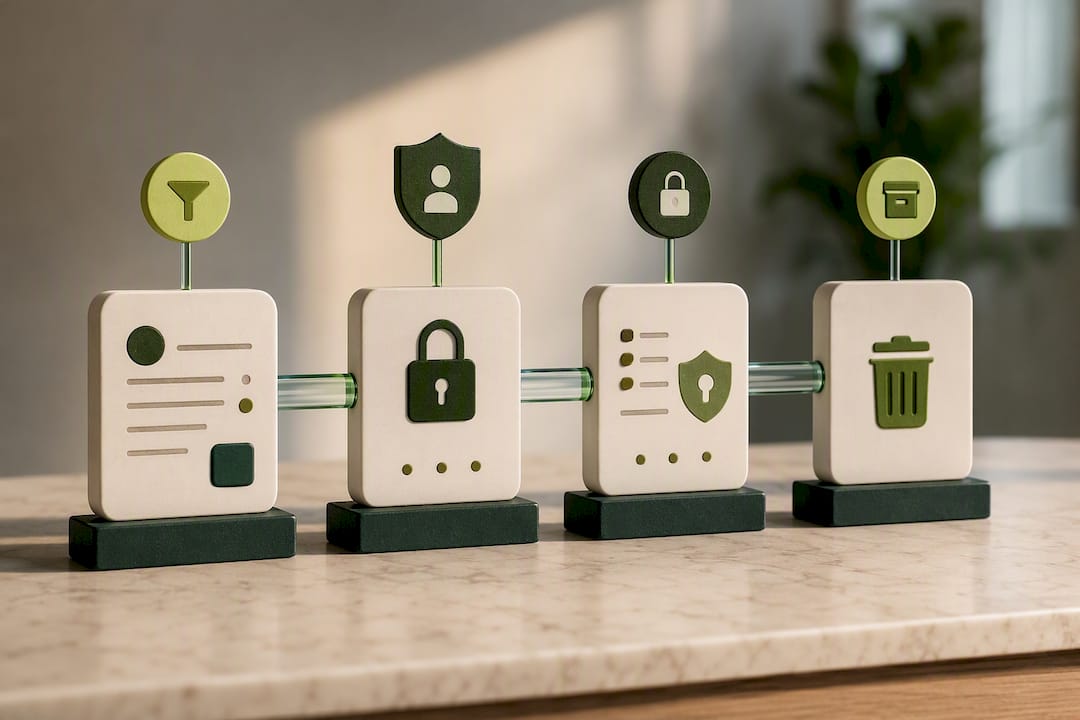
Your phone is now holding client contact details, payment records, and potentially years of tax history, so it’s worth treating it with the same care as a filing cabinet full of financial paperwork.
A few basics cover most of the risk:
- Lock your device with a passcode or biometric login, and never leave the invoicing app logged in on a shared or borrowed phone.
- Turn on two-factor authentication for the app account itself, not just the phone lock screen.
- Rely on cloud backup, not local storage, so a lost or broken phone doesn’t mean lost invoices.
- Draft offline when needed, but check the app actually syncs once you’re back online rather than silently failing to save.
- Read the fee structure carefully. Card payment links, in particular, often carry a percentage fee that isn’t obvious until you check the small print.
The most common practical pitfall is duplicate invoicing, usually caused by sending an invoice offline, then resending it manually once signal returns because it looked like it hadn’t gone through. Check the “sent” status before resending anything, and reconcile your invoice list against your bank feed weekly rather than monthly, so duplicates or missed payments get caught early.
Pro Tip: If an invoice shows as “pending” for more than a few hours after you know you had signal, check your sent folder before assuming it failed. Resending unnecessarily is the single biggest cause of client confusion over what they actually owe.
What must a legally compliant invoice include?
An invoice built in thirty seconds on a building site still has to meet the same legal standard as one typed up in an office. According to Gov, every invoice you issue needs:
- A unique invoice number that doesn’t repeat
- Your business name and address, and the customer’s name and address
- A clear description of the goods or services provided
- The date the goods or services were supplied, and the invoice date itself
- The total amount owed, including VAT if you’re registered
If you’re a sole trader operating under a trading name rather than your own name, GOV.UK’s requirements state you must also include your own name alongside the business name on any invoice or other official document. That’s an easy detail to miss when you’re rushing to send something before driving to the next job, and it’s one HMRC or a client’s accountant can flag.
Store every invoice for at least the minimum retention period HMRC expects for Self Assessment records, and export them regularly rather than relying on the app as your only archive. A free UK invoice template built to these requirements takes the guesswork out of what to include, and a detailed breakdown of sole trader invoice rules is worth bookmarking if you ever need to double-check a specific case.
Why does TradeTally suit tradespeople who need mobile invoicing?
TradeTally was built around a specific problem: tradespeople finishing a ten-hour day and facing an evening of invoicing, receipt sorting, and half-remembered mileage before they can switch off. It handles the whole chain from the job site rather than treating invoicing as a separate task from tax preparation.
- Trade-specific templates for plumbing, electrical, carpentry, and similar work, so you’re not adapting a generic invoice format to fit a job it wasn’t designed for.
- Instant invoicing from site, meaning the invoice goes out before you’ve left the driveway, not after you’re back at your desk.
- Receipt capture and expense tracking, so a photo of a fuel or materials receipt becomes a tax-ready record automatically, rather than a slip you’ll lose in the glovebox.
- Automatic SA103F export, turning a year of invoices and expenses into the exact format needed for a Self Assessment return.
The result is that Self Assessment season stops being a scramble through shoeboxes of receipts, because the records have already been building themselves all year. If you want to see how this fits a specific trade, TradeTally’s plumber-focused invoicing page and its best invoicing app for plumbers guide both walk through the detail.
How do you fix common problems in a mobile invoicing app?
Most mobile invoicing frustrations trace back to a handful of repeat issues, and nearly all of them have a quick fix.
Invoices stuck as “pending” or not sending. Usually a connectivity issue where the app queued the invoice offline but hasn’t had a strong enough signal to sync. Switch to Wi-Fi where possible, or force a manual sync from the app’s settings menu rather than assuming it will resolve itself.
Payment links not working for the client. Check the link hasn’t expired, particularly on apps that time out payment links after a set number of days. Resend a fresh link rather than expecting the client to troubleshoot an old one.
Duplicate invoices in a client’s inbox. This almost always comes from resending manually after an offline invoice actually did go through. Check sent status first, every time, before resending.
Missing or incorrect VAT calculations. Confirm your VAT registration status and rate are set correctly in your business profile before you build the invoice, not after, since some apps apply the rate at the point of creation and won’t retroactively correct a sent invoice.
App crashes or freezes mid-invoice. Close and reopen rather than force-restarting your phone, since most invoicing apps autosave drafts every few seconds. You’ll usually find your work waiting when you reopen it.
Sync conflicts between devices. If you invoice from both a phone and a tablet, make sure you’re logged into the same account on both, and avoid editing the same invoice on two devices at once, which is the most common cause of an invoice reverting to an older version.
Keep a simple habit of checking your sent and paid tallies against your bank feed once a week. It catches nearly every one of these issues before they become a real problem.
How do you protect client data beyond the legal minimum?
Meeting GOV.UK’s invoice content rules keeps you legally compliant, but data privacy is a separate, ongoing responsibility that goes further than what’s mandatory.
Treat client contact details, site addresses, and payment history as sensitive by default. Avoid storing more information than the invoice actually needs. A client’s phone number and email are usually enough; you rarely need to note personal details that have nothing to do with the job.
Review who has access to your invoicing account, particularly if you employ subcontractors or share a login with a family member handling admin. Shared logins make it impossible to track who changed what, and they’re a common weak point when something goes wrong.
Delete or archive client records for jobs completed years ago rather than letting an active client list grow indefinitely, since a smaller, current dataset is both easier to manage and less risky if a device is ever lost or compromised.
Check that any app you use encrypts data both on the device and in transit to its servers, not just one or the other. And be deliberate about what you photograph and store as receipts: a fuel receipt is fine, but avoid capturing images that include a client’s private documents left visible on a kitchen counter.
None of this replaces the legal requirements covered earlier. It sits alongside them, and it’s the difference between technically compliant and genuinely trustworthy with the data clients hand over.
How do popular mobile invoicing apps compare?
Rather than naming individual products, it’s more useful to compare the categories of app on the market, because the trade-offs are consistent across most of them.
Entry-level free apps typically cap the number of invoices per month and strip out automation like recurring billing or reminders. They suit someone sending two or three invoices a month, but the caps become a real limitation fast for anyone invoicing weekly.
Generic small-business invoicing platforms offer a broad feature set built for retail, services, and freelancers alike. They tend to be strong on templates and payment options but weaker on trade-specific needs like materials tracking or job-based expense capture.
Trade-specific invoicing apps build around the actual workflow of a tradesperson: job-based invoicing, mileage tracking, receipt capture tied to specific jobs, and export formats suited to Self Assessment rather than generic bookkeeping. The trade-off is usually a narrower feature set outside that core use case, which matters less if invoicing and tax records are genuinely your main need.
The right pick depends on volume and complexity. A tradesperson sending fifteen or more invoices a month, tracking mileage, and needing clean tax exports every year gets more long-term value from a trade-specific tool than from stretching a free generic app past its limits. If you want a deeper look at how the platforms stack up feature-for-feature, TradeTally’s invoicing software comparison for UK trades covers it in more detail.
How does mobile invoicing improve cash flow management?
Cash flow problems for sole traders rarely come from a lack of work. They come from the gap between finishing a job and actually being paid for it, and that gap is exactly what mobile invoicing shrinks.
Invoicing from the job site rather than at the end of the week removes days from that gap before a client has even had time to forget the details of the work. Wise’s analysis of small-business invoicing tools points to integrations between invoicing and payment tracking as a key driver of faster reconciliation, meaning you know what’s actually in your account, not just what’s theoretically owed.
Automated reminders extend that effect past the invoice date. A client who might have let payment slip for two weeks gets a nudge at day seven, which Salesforce’s research into small-business invoicing links directly to reduced follow-up time and faster overall payment.
There’s a second, quieter benefit: visibility. When every invoice and payment sits in one dashboard rather than scattered across a paper diary and three different apps, you can actually see what’s outstanding at a glance. That makes it far easier to decide whether you can afford materials for the next job now, or whether you need to wait for an overdue payment to land first. For a trade business running on tight margins between jobs, that visibility is often worth more than the faster payment itself.
What do mobile invoicing apps cost, and what hidden fees should you watch for?
Most mobile invoicing apps follow one of two pricing structures: a free tier with strict limits, or a paid subscription unlocking full functionality.
Free tiers typically limit the number of invoices you can send per month and often strip out automation features like recurring invoices and reminders. They work for very low-volume use, but the cap forces an upgrade decision quickly once you’re invoicing regularly.
Paid subscriptions generally run as a monthly or annual fee, with annual billing usually working out cheaper per month than paying monthly. What varies most between providers isn’t the headline subscription price. It’s what sits underneath it.
Watch for these hidden costs specifically:
- Payment processing fees on card payment links, usually a percentage of the transaction, which can quietly erode margin on smaller invoices if you’re not accounting for it in your pricing.
- Per-user charges if you ever take on staff or a subcontractor who needs their own login.
- Export or integration fees for connecting to accounting software, which some platforms bundle free and others charge extra for.
- Storage limits on receipt photos or document attachments, with some apps charging once you exceed a certain volume.
Before committing to any app, check the fee structure for card payments specifically, since that’s the cost most likely to catch a tradesperson off guard once invoice volume grows. A subscription that looks cheap on the surface can end up more expensive than a slightly pricier alternative once processing fees are factored in across a year of invoices.
Simon’s take: the mistakes that quietly cost tradespeople money
The biggest mistake I see isn’t a bad app choice. It’s timing. Tradespeople who invoice in batches at the end of the week, rather than the moment a job finishes, are handing clients every excuse to delay payment, and they’re doing it to themselves.
The second mistake is invoices missing basic detail, usually the invoice date or a clear description of work done, which then bounces back for correction and adds days to the payment cycle. Both fixes are simple: invoice on completion, every time, and build a template that forces you to fill in the fields that actually matter. A plumber who moved from weekly batch invoicing to on-site invoicing typically sees payment land noticeably sooner, simply because the request reaches the client while the job is still fresh in their mind.
— Simon
Try TradeTally for invoicing you can actually do from the van
TradeTally is the practical alternative to juggling a generic invoicing app alongside a separate spreadsheet for tax records. Every feature covered in the checklist above, instant invoicing, receipt capture, automatic SA103F export, lives in one interface built specifically for trade work, not adapted from retail or freelance software.
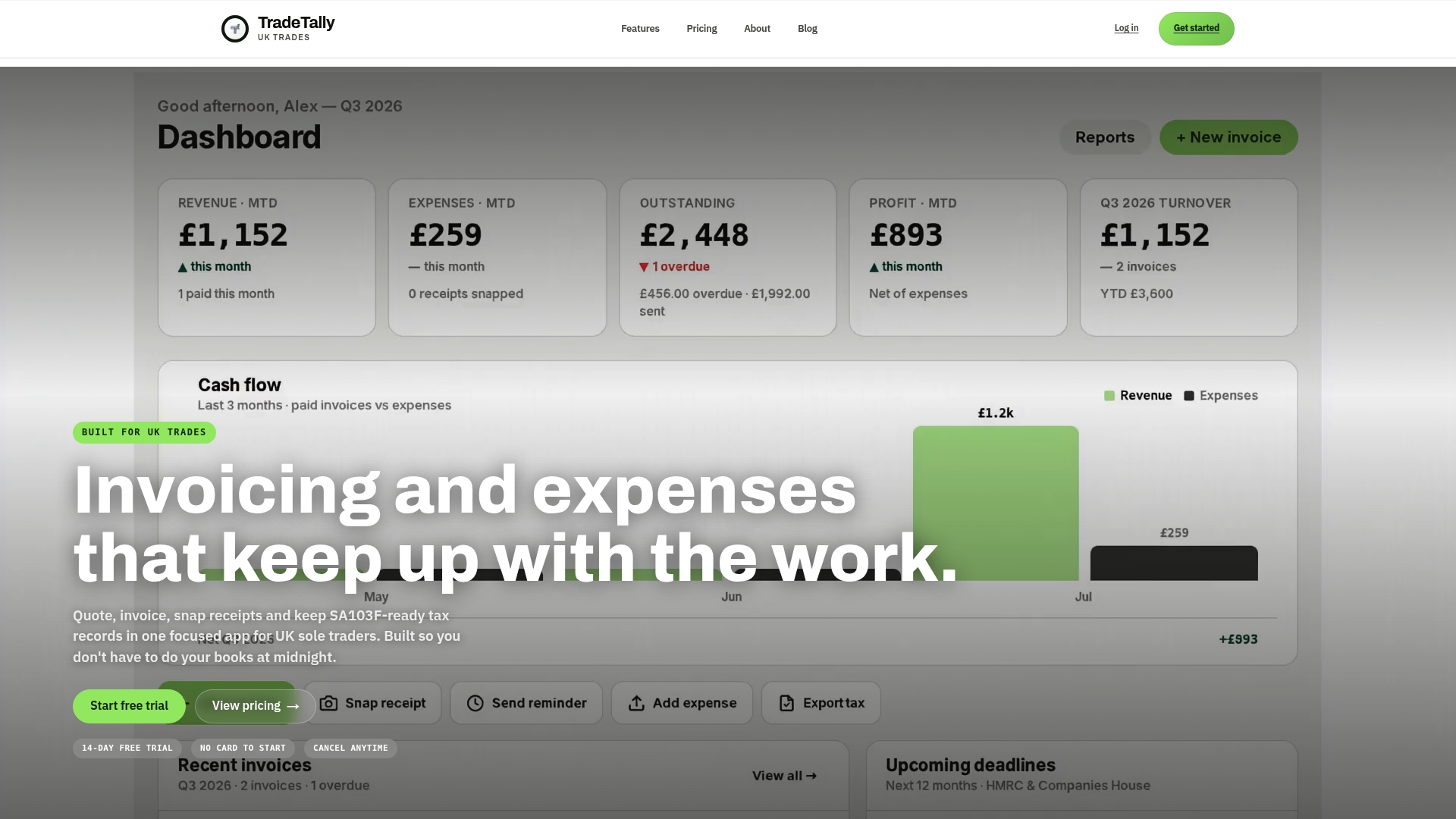
If you’ve been putting off Self Assessment prep because it means hunting through months of receipts, that’s precisely the problem TradeTally removes by building your tax records as you invoice, not after. Sole traders in plumbing, carpentry, and related trades can see how it fits their specific work through pages like the carpenter invoicing software page or the window fitter invoicing page, and check where their Self Assessment liability stands using the Self Assessment tax calculator. Start a trial and send your next invoice from the job site before you’ve even packed the van.
Sources
- Gov
- 10 key features for small business invoicing software | Workday
- Best invoicing software for small businesses (UK) - Wise
- Best invoicing solutions for SMBs | Salesforce blog
FAQ
What is a mobile invoice?
A mobile invoice is a bill created, sent, and tracked through an app on a phone or tablet, usually stored in the cloud rather than saved as a static file, so payment status updates automatically.
Can I do invoices on my phone?
Yes. Mobile invoicing apps let you build an invoice from a template, add job details, and send it directly to a client’s email or phone within minutes of finishing a job.
What is the best free mobile app for invoicing?
Free tiers vary mainly by how many invoices you can send monthly, typically three to five, before they push you to a paid plan. For sole traders invoicing regularly, a paid app like TradeTally that includes tax-ready exports alongside invoicing tends to offer better long-term value than stretching a limited free tier.
How do I make an invoice on mobile?
Set up your business profile and a template first, then add the customer’s details, list the job’s line items, apply VAT and payment terms where relevant, and preview before sending with a payment link attached.
Recommended
Ready to sort your trade admin?
TradeTally gives UK sole traders invoicing, expenses, and SA103F-ready tax exports in one mobile-first app.
Start 14-day Pro trial →No card required