Tradespeople: 5 Steps to Progress Invoicing Without Spreadsheets
Progress invoicing lets you bill a client for parts of a job as the work gets done, rather than waiting until the whole project finishes to see a penny. You issue a series of invoices tied to a percentage complete or agreed milestones, so cash keeps landing in your account throughout the job. Contractors, tradespeople and agencies running jobs longer than a few weeks use it to stay solvent while materials and labour costs pile up.
TL;DR:
- Progress invoicing accelerates cash flow by billing clients at defined milestones, percentages of work completion, or fixed intervals, suitable for jobs longer than a few weeks.
- Using a signed schedule of values or milestone list before work begins prevents disputes, with consistent measurement methods throughout the project.
- Automated software helps track cumulative totals, retainage, and percentage complete, reducing billing errors and speeding up the invoicing process.
- Photographing completed work immediately and logging dates on-site ensures proof of progress, minimizing client queries and payment delays.
- Clear progress invoices should include project details, invoice amounts, milestones reached, retainage, change orders, and payment terms to maintain transparency.
Table of Contents
- How does progress invoicing actually work?
- When should you use progress invoicing?
- How do you set up and run progress invoicing?
- What should a progress invoice actually include?
- What are the best practices and common pitfalls?
- How does software automate progress invoicing?
- An on-site perspective on getting progress invoicing right
- Get progress invoicing sorted without the spreadsheet juggling
- Where to read more on progress invoicing
- Sources
- FAQ
How does progress invoicing actually work?
Three methods dominate. The percentage-of-completion method invoices a set share of the total contract value based on how much work is finished, often measured as cost-to-cost (money spent versus total budgeted) or units-of-delivery (items installed versus items ordered). The milestone method ties each invoice to a defined event, such as “first fix complete” or “plastering finished”, regardless of how long that stage took. The equal-slice method splits the total into fixed instalments (say, four invoices of 25% each) agreed at contract signing, which suits jobs where progress is hard to measure precisely but the timeline is predictable.
Underneath all three sits the schedule of values (SOV), an itemised breakdown of every task and its assigned cost. Think of it as the master ledger everyone refers back to when there’s a dispute.
Every invoice then needs three running numbers:
- This period’s amount — what you’re billing for right now
- Cumulative billed to date — total invoiced across the whole job so far
- Remaining balance — what’s left against the full contract value
This structure means invoicing accelerates cash collection, but it runs separately from formal revenue recognition for accounting purposes. Don’t confuse the two when you sit down with your accountant.
When should you use progress invoicing?
It suits construction, fit-out, renovation, and any trade where a job runs weeks or months and materials get bought upfront. Kitchen fitters, electricians rewiring a house, and roofers on a full re-roof all fit this pattern. It’s less useful for a two-hour callout or a same-day repair, where a single invoice on completion is faster for everyone.
Weigh the benefit against the admin. Progress invoicing takes more tracking than a one-off invoice, so ask yourself:
- Is the contract value large enough that waiting for one payment would strain your cash flow?
- Will the job run longer than four to six weeks?
- Are you fronting materials costs before the client pays?
- Does the client expect (or the contract require) staged billing?
If you answer yes to two or more, it’s almost certainly worth setting up.
How do you set up and run progress invoicing?
Getting this right at the start saves you chasing disputes later. Follow this sequence:
- Agree the method and get the SOV or milestone schedule signed before any work starts. Verbal agreements on billing stages cause more disputes than almost anything else on a job.
- Set your billing cadence (weekly, fortnightly, or per milestone) and agree who verifies percentage complete, whether that’s a site manager, the client, or you.
- Collect evidence as you go, timesheets, delivery notes, and dated photos of completed stages, so every invoice has a paper trail behind it.
- Issue the invoice, showing cumulative totals clearly, and chase payment on a fixed schedule rather than an ad hoc basis.
- Handle change orders and non-payment properly. Document every variation in writing and reflect it on the next invoice. Agree a stop-work clause and retainage terms upfront so both sides know what happens if payment stalls.
Pro Tip: Take photos of completed work the same day you finish it, timestamped and dated. If a client questions your percentage complete three weeks later, you’ve got proof rather than a memory to argue with.
What should a progress invoice actually include?
A vague invoice invites vague questions. Every progress invoice needs to answer “what, how much, and what’s left” without the client needing to ring you.
- Project name and contract reference, so it’s traceable against the original agreement
- This period’s amount, cumulative billed to date, and remaining balance, shown as separate figures
- Percentage complete or the specific milestone reached, described in plain terms
- Retainage held, shown as a separate line rather than buried in the total
- Approved change orders, listed individually rather than folded silently into the main figure
- Payment terms, including due date and accepted payment methods
Stripe’s guidance on progress invoicing recommends exactly this structure, project overview, phase amount, previous payments, percentage complete and remaining balance, because it gives clients enough clarity that they rarely need to query the figures.
What are the best practices and common pitfalls?
Most progress invoicing disputes trace back to one thing: no sign-off on the SOV before work began. Treat the schedule of values as the project’s single source of truth, and get the client’s signature on it, not just a verbal nod, before the first invoice goes out.
A few other rules separate smooth-running jobs from ones full of awkward phone calls:
- Use the same measurement method throughout the job. Switching between cost-to-cost and units-of-delivery halfway through confuses everyone and looks like you’re moving the goalposts.
- Keep every change order in writing and show it separately on the next invoice, never folded quietly into the main total.
- Negotiate retainage terms (often 5 to 10% held back until completion) at the contract stage, and document exactly what triggers its release.
- Warn clients ahead of time roughly what the next invoice will look like. A quick heads-up on amount and timing heads off a surprised or defensive reaction.
Pro Tip: Send a one-line “next invoice will be roughly £X on [date]” message a few days before it lands. It takes thirty seconds and it’s the single easiest way to stop a client querying an invoice they weren’t expecting.
How does software automate progress invoicing?
Manually tracking cumulative totals, retainage, and percentage complete across several live jobs is where most billing mistakes creep in. A missed decimal point on a spreadsheet can under bill or over bill a client by hundreds of pounds, and nobody notices until the final reconciliation.
Look for software that handles:
- Converting an accepted estimate straight into a progress invoice template, rather than rebuilding it from scratch
- Automatic cumulative tracking, so remaining balance updates itself with every invoice issued
- Retainage handling built into the invoice layout, not bolted on as a manual note
- Automated payment reminders and basic reporting on outstanding balances across jobs
Smaller, more frequent invoices tend to get paid faster than one large lump sum, partly because they’re easier for clients to process and partly because they open up more payment method options. Automation is what makes frequent invoicing manageable without doubling your admin time.
Tradetally builds this directly into its workflow for UK sole traders, letting you turn a quote into a branded invoice in seconds, snap receipts on site, and export tax-ready records for your Self Assessment without a separate spreadsheet. The cash flow guide for tradespeople covers how staged billing fits into wider financial planning if you want to go deeper. Automation should handle the repetitive maths, but keep a human check on any disputed percentage or change order before it goes on an invoice.
An on-site perspective on getting progress invoicing right
The jobs that go smoothly are the ones where the paperwork happens on site, not at 11pm at the kitchen table. Photograph the stage the moment it’s done, note the date, and log it before you move to the next task. Staged payments change how you schedule work too. Once cash starts arriving mid-job rather than at the end, you can commit to materials for the next phase without waiting on a single final cheque to clear.
— Simon
Get progress invoicing sorted without the spreadsheet juggling
Chasing cumulative totals across three live jobs on a spreadsheet is how errors creep into your billing, and errors cost you money and client trust in equal measure. Tradetally turns an accepted quote into a branded, staged invoice in a few taps, tracks what’s been billed against what’s left automatically, and keeps every receipt and payment record tax-ready for your SA103F export at year end.
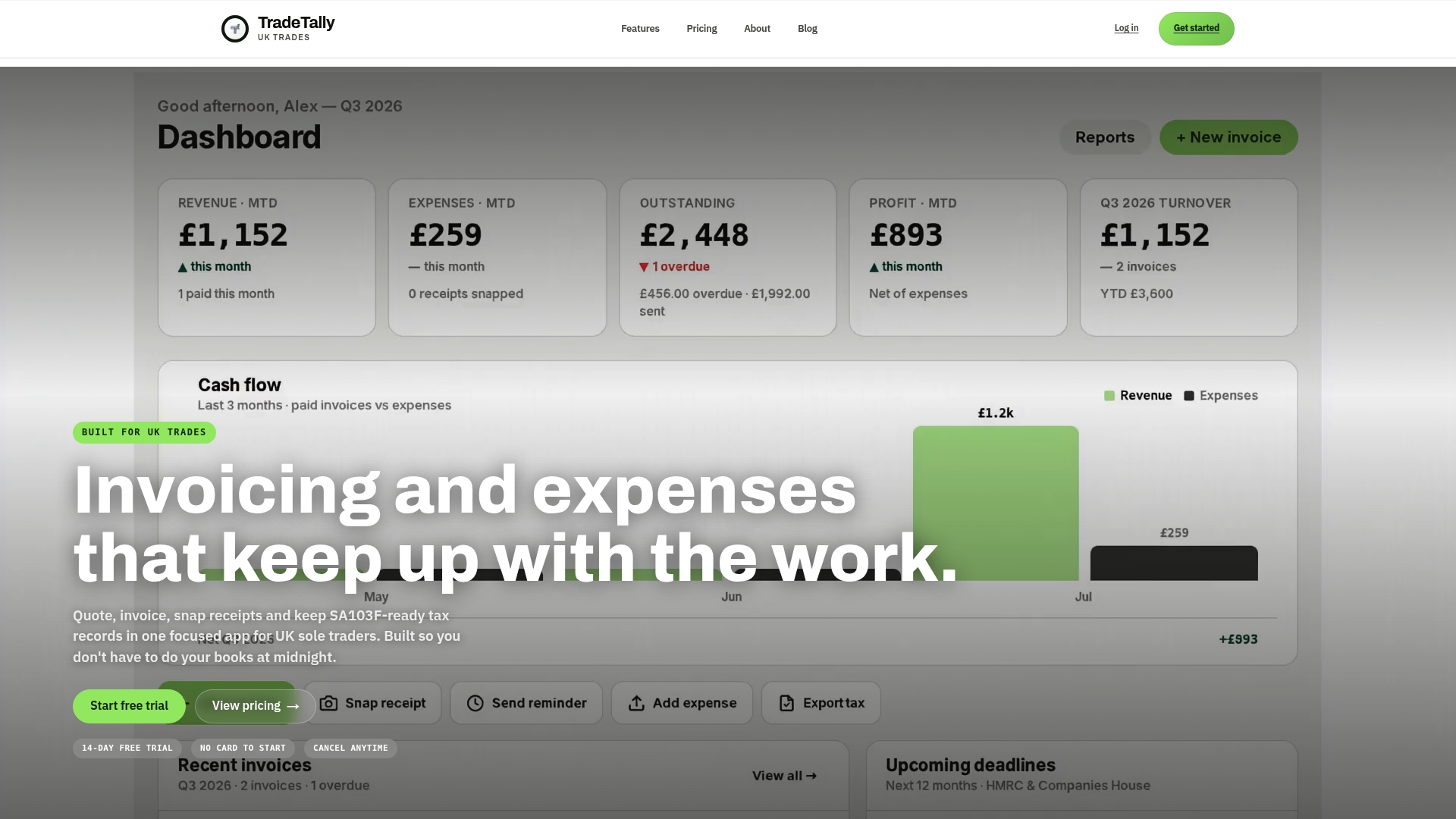
If you’re fitting kitchens, rewiring houses, or running any job that stretches over weeks rather than hours, the shopfitter invoicing software page shows how the staged invoicing workflow maps onto real trade jobs. Set up your first progress invoice template today and see your cumulative totals update themselves from the next job onward.
Where to read more on progress invoicing
For deeper technical detail: NetSuite explains the accounting distinction from revenue recognition; Investopedia covers core concepts and benefits; AIA’s G702/G703 guidance shows standard industry paperwork; Billed’s guide walks through change-order handling in practice.
Sources
- What Is Progress Invoicing and Why Is it Important? | NetSuite
- Progress billings: Key concepts and benefits | Investopedia
- Progress invoicing basics: What it is and how it works | Stripe
- Progress invoicing guide | Billed
FAQ
What is progress invoicing?
Progress invoicing (also called progress billing) splits a contract’s total value into multiple invoices tied to percentage complete or agreed milestones, so you get paid in stages rather than one lump sum at the end.
What is it called when you process invoices in stages?
This is generally known as progress invoicing or progress billing, though you’ll also hear “phased invoicing” or “milestone billing” used for the same practice, depending on the industry.
What is progress invoicing in QuickBooks Online?
In QuickBooks Online, progress invoicing lets you create a single estimate for a job and then generate multiple invoices from it over time, each reflecting a percentage or fixed amount of the total until the estimate is fully billed. Tradetally offers a similar estimate-to-invoice workflow built specifically around trades billing.
What is progress billing and how does it differ from a deposit?
Progress billing invoices for work already completed at each stage, verified against a schedule of values or milestone, whereas a deposit is paid upfront before any work begins as a commitment to secure the job.
How much retainage should I hold back on a progress invoice?
Retainage is typically a small percentage of each invoice held back until the full job is signed off, though the exact figure should always be agreed and documented in the contract before work starts.
Recommended
Ready to sort your trade admin?
TradeTally gives UK sole traders invoicing, expenses, and SA103F-ready tax exports in one mobile-first app.
Start 14-day Pro trial →No card required