30–60 minute weekly review to track billable hours for tradespeople

The quickest reliable way to track billable hours is a real-time timer paired with a fixed weekly reconciliation slot and a monthly billing cut-off. Start the clock when you start the job, stop it when you finish, and review everything within a day or two while the details are still fresh. Desk-based freelancers might run this through a timer app; tradespeople on the road need something that works from a van. There are mobile-first versions of time tracking apps specifically designed for UK sole traders.
TL;DR:
- Real-time timers paired with weekly reviews minimize memory errors and ensure accurate billable hour tracking, especially for on-the-go tradespeople.
- Small operators lose 10% to 20% of revenue from operational inefficiencies like reconstructing time and inconsistent logging practices.
- Weekly reconciliation of hours, after a fixed cut-off date, dramatically reduces billing mistakes and enhances cash flow.
- Mobile trade apps streamline on-site invoicing, capturing time and costs instantly, and allow direct export for tax reporting.
- Clear policies on travel and admin time, along with transparent client communication, prevent disputes and support accurate invoicing.
Table of Contents
- Methods to track billable hours: what actually works
- Common mistakes that quietly cost you billable hours
- Best practices for capturing accurate billable hours
- Turning tracked time into invoices and HMRC-ready records
- How to choose the right method for your work
- How TradeTally turns on-site hours into tax-ready records
- Billable vs non-billable time: where the grey areas actually sit
- Legal and ethical considerations when tracking billable hours
- Tips for improving personal time management to maximise billable hours
- Handling disputes or client questions about billed hours
- What I’d actually change first
- Let TradeTally do the tracking while you get on with the job
- Sources
- FAQ
Methods to track billable hours: what actually works
Every method for tracking billable hours trades effort for accuracy somewhere. The trick is picking the trade-off that suits how you actually work, not the one that looks tidiest in a spreadsheet template.
Manual logs and spreadsheets sit at the low-cost end. You open a file, type in a start time, an end time, and a note about what you did. It costs nothing beyond the time it takes to fill in, and for someone with two clients and a predictable week, that might be enough. The problem is friction. The moment you get busy, the log falls behind, and a falling-behind log becomes a “what did I do on Tuesday” reconstruction exercise on Friday afternoon. Reconstructed time is almost always underestimated. You remember the two-hour job. You forget the twenty-minute phone call sorting out a materials delivery.
Desktop and mobile timers with calendar syncing solve the memory problem for people who work mostly at a screen. Start a timer against a project, let it run, stop it when you switch tasks. Most sync with a calendar so meetings and blocked-out work show up automatically, cutting down on manual entry. This suits consultants, designers, and agency staff who move between three or four client projects in a single day and need a clean audit trail for each one.
Automated activity-capture tools go further still, logging keystrokes, app usage, or screen activity in the background and letting you tag the results as billable or not later. They cut the effort of starting and stopping timers to almost zero. Two things hold this method back for a lot of small operators. First, it is built around desktop activity, so it does very little for anyone whose work happens on a roof, in a client’s kitchen, or under a car. Second, some clients (and some staff, if you employ anyone) understandably raise privacy questions about background activity monitoring, which is worth thinking through before switching it on.
Trade and mobile-first bookkeeping apps are built for a different problem entirely: capturing time and turning it into money while you’re standing in a client’s hallway with muddy boots. A plumber finishing a boiler service doesn’t want to open a laptop. They want to tap “stop,” see the job total, and send the invoice before they’ve even started the van. This is the category mobile trade-focused invoicing tools occupy, offering practical solutions for anyone who bills by the hour but doesn’t sit at a desk to do it.
A few things worth weighing up between these options:
- Manual spreadsheets cost nothing but rely entirely on your memory and discipline.
- Desktop timers with calendar sync give strong accuracy for desk-based work but little help on site.
- Automated activity capture reduces effort but raises privacy questions and skews towards office-based tasks.
- Mobile trade apps match the reality of on-site work, linking time directly to an invoice without a second data-entry step.
None of these is universally “best.” A graphic designer working from a single laptop has very different needs from an electrician moving between three sites a day. Pick the one that matches where the work actually happens, not the one with the most features on the pricing page.
Common mistakes that quietly cost you billable hours
Lost billable time rarely disappears in one dramatic incident; conducting a thorough Revenue Leak Assessment can help identify and recover lost fees due to operational inefficiencies. It leaks away in small amounts, day after day, until the invoice at the end of the month is noticeably thinner than the work justified.
Organisations without a disciplined logging habit typically lose 10% to 20% of potential revenue this way, according to industry benchmarking for UK agencies and small firms. For a sole trader billing an hourly rate across a typical workweek, this loss in paid work can be substantial every single week, without a single client ever disputing an invoice.
Four mistakes account for most of that leakage:
- Reconstructing time from memory. If you’re filling in Monday’s hours on Friday, you’re guessing, not recording. The fix is a real-time timer running while you work, or at minimum a note jotted down the moment a task finishes.
- Inconsistent rules across jobs or team members. One entry says “site visit,” another says “client meeting” for the identical activity, and a third person on the team doesn’t log travel at all. The fix is a short list of required fields (client, project, task type, duration) and a shared naming convention everyone actually follows.
- Ignoring small tasks and travel time. A five-minute phone call to confirm a delivery slot feels too small to log, but ten of those a week add up to nearly an hour of unbilled work. The fix is a clear policy: does travel count, is there a minimum billing unit (six minutes, fifteen minutes), and does a quick call get logged even if it’s under that threshold?
- Skipping the review before invoicing. Sending an invoice straight off raw timesheet data, without checking it first, means every one of the mistakes above rides straight through to the client unchecked. The fix is a short reconciliation slot before billing, not after a client queries the total.
Pro Tip: Set a minimum billing unit before you start your first job of the week, not after your third client questions why a “quick five-minute favour” appeared on their invoice as a full hour.
Best practices for capturing accurate billable hours
Accuracy in time tracking comes from routine, not effort. The habit matters more than the tool, though the right tool makes the habit far easier to keep.
Daily: log as you go, not as you remember
Start a timer the moment you begin a task and stop it the moment you finish. Keep the description short but specific: “boiler service, 14 Elm Street” tells you more three weeks later than “job.” Set a default minimum billing unit, whether that’s six minutes or fifteen, and apply it consistently so a two-minute task doesn’t either vanish or get inflated. Most time-tracking tools let you set a billable/non-billable toggle as a default per project, which stops admin tasks accidentally landing on a client’s invoice.
- Start and stop timers in real time rather than at the end of the day.
- Write a two- to five-word note against every entry.
- Set a minimum billing unit and a default billable status per project.
- Flag travel time separately so you can apply your own policy consistently.
Weekly: the reconciliation that saves your invoicing
A recurring 30 to 60 minute session, ideally the same slot every week, catches errors before they reach a client. A short Friday review to confirm every entry is correctly tagged and billable status is verified stops small mistakes from compounding into a messy month-end. During this session, look for uncategorised entries, check for gaps (a day with no logged hours when you know you worked), and confirm nothing billable has been left as “non-billable” by mistake.
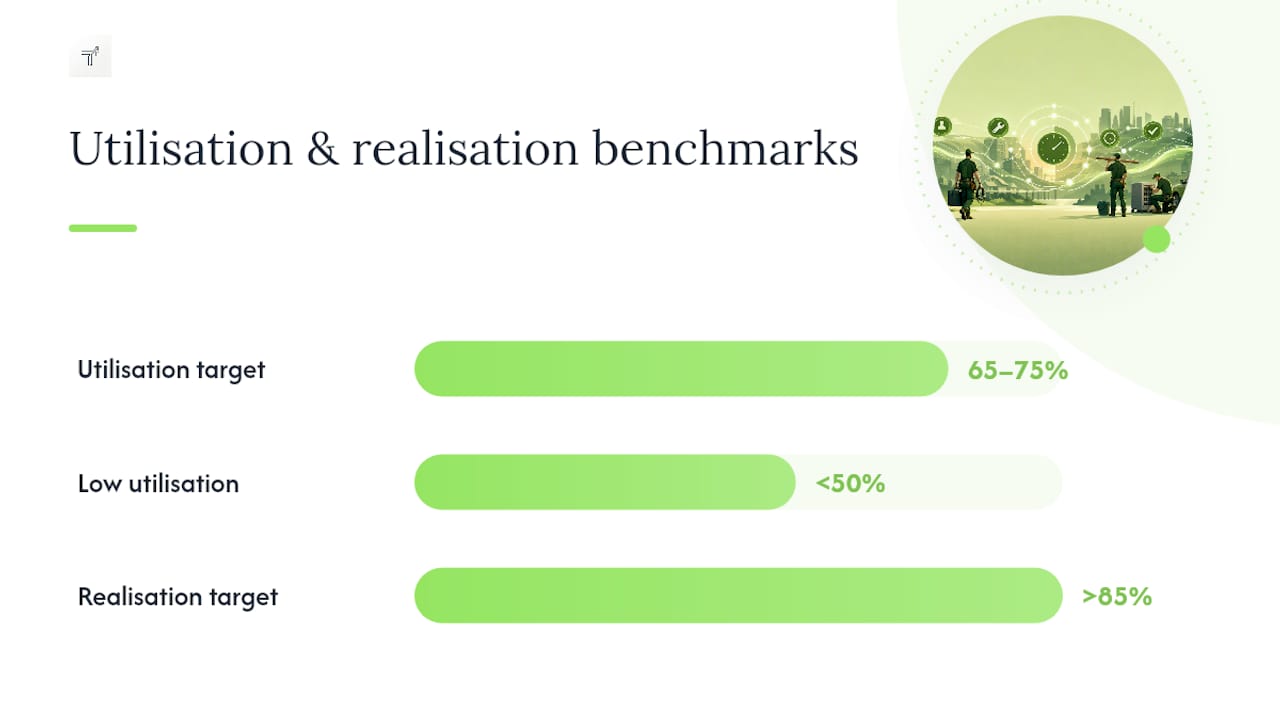
This is also where utilisation and realisation become useful, not just abstract accounting terms. Utilisation is the percentage of your available working hours that are actually billable. Realisation is the percentage of your billable hours that you actually invoice and get paid for, after write-offs or discounts. For many small professional services operations, a healthy utilisation target sits around 65% to 75%, while realisation above 85% suggests your pricing and collection process are working well. If utilisation is consistently below 50%, that’s a workload or admin-overhead problem worth investigating, not just a tracking one.
Monthly: the billing run
Pick a fixed cut-off date, the last day of the month or the 25th, whichever suits your invoicing rhythm, and stick to it. Review hours by project against the agreed scope, apply any billing rules (fixed-fee caps, discounts, retainer draw-downs), and generate invoices from the reviewed data rather than the raw log. Time tracking that feeds directly into invoicing without manual re-entry speeds up billing and improves cash flow, because the gap between finishing work and getting paid shrinks every time you remove a manual copying step.
Turning tracked time into invoices and HMRC-ready records
The maths is simple: tracked hours multiplied by the agreed rate, adjusted for your rounding and minimum-unit rules. If your minimum billing unit is fifteen minutes and a job took eleven, you round to the nearest unit rather than billing the exact eleven minutes, and that rule should be the same for every client, not negotiated case by case. If you’re applying a discount or a fixed-price cap for part of the job, apply it as a visible line item rather than quietly adjusting the hours, so the client can see exactly what changed and why.
A sensible billing run looks like this:
- Choose a fixed cut-off date each month and apply it consistently.
- Review hours at project level against the original scope or quote before generating anything.
- Apply your rate, rounding rule, and any agreed adjustments as separate line items.
- Generate and send the invoice promptly, ideally within 48 hours of the cut-off, to keep cash flow moving.
- Store the invoice alongside the time log that produced it, not as a separate, disconnected record.
That last point matters more than most sole traders realise. HMRC requires business records, including the ones behind your invoices, to be kept for at least five years after the 31 January filing deadline for the relevant tax year. If HMRC ever queries your Self Assessment return and your records are patchy, they can substitute their own estimated figures, which is rarely the number you’d have chosen yourself. Consistent, contemporaneous time logs are some of the strongest supporting evidence you can hold, because they show the work happening in real time rather than being assembled after the fact to justify a total. A monthly bookkeeping session of one to two hours is far less disruptive than trying to reconstruct twelve months of records the week before the deadline, and it’s the routine that keeps your time logs and your tax return telling the same story. Good invoice records built on that same discipline make Self Assessment considerably less stressful.
How to choose the right method for your work
The right time-tracking method depends less on features and more on where and how you actually do the work. Run through this before committing to anything:
- Mobility: Do you work from a desk, or from a van, a site, or a client’s home?
- Invoicing link: Can the tool turn tracked hours directly into an invoice, or does it need manual re-entry into a separate system?
- Offline access: Does it still work with no signal, which matters on a lot of building sites and rural jobs?
- Field enforcement: Can you make certain fields (client, project, task) mandatory, so entries can’t be saved incomplete?
- Reporting: Can you see utilisation and realisation at a glance, without exporting to a spreadsheet first?
- Price and scale: Does the cost make sense for a sole trader, and does it still work if you take on staff later?
Start simple if you’re new to tracking at all. A timer app and a spreadsheet cost nothing and teach you your own patterns, how long jobs actually take versus how long you assume they take, before you invest in anything more sophisticated. The moment that spreadsheet starts costing you more time in admin than it saves in accuracy, usually somewhere around your second or third regular client, it’s worth moving to an integrated bookkeeping app that links time directly to invoicing and tax records.
During a free trial, test three things specifically: how quickly you can start and stop a timer without unlocking five menus first, whether you can generate an invoice directly from a logged job without retyping anything, and whether the export format matches what your accountant (or HMRC’s Self Assessment forms) actually needs.
| Method | Best suited to | Main limitation |
|---|---|---|
| Manual spreadsheet | Very small client lists, low complexity | High risk of reconstruction and missed entries |
| Desktop timer with calendar sync | Desk-based freelancers and agencies | Weak support for on-site or offline work |
| Automated activity capture | High-volume desktop work | Privacy concerns; poor fit for field trades |
| Mobile trade/bookkeeping app | Field trades billing on site | Requires switching from familiar habits |
How TradeTally turns on-site hours into tax-ready records
Some mobile apps are built around the reality that tradespeople don’t invoice from a desk. These apps offer mobile timers to start tracking the moment you arrive on site and stop when the job’s done, with the option to generate an invoice directly from that logged time before leaving the job. Receipt capture features help keep materials costs alongside your hours in the same record. At tax time, that combined data can export in SA103F format for Self Assessment, and some provide hourly-rate calculators to help check pricing against costs and time.
A typical workflow looks like this: record time on site with the mobile timer, generate the invoice instantly before leaving the job, run a weekly reconciliation to catch anything uncategorised, then export everything for Self Assessment at the end of the tax year. Each step mirrors the routines covered earlier, real-time logging, weekly review, monthly billing, annual record-keeping, but built into a single trade-focused app rather than four disconnected tools. Sole traders in fencing, window fitting, carpentry, and similar trades can try the hourly-rate calculator and the trade-specific tools directly to see how the workflow fits their own jobs.
Billable vs non-billable time: where the grey areas actually sit
Billable time is any work a client has agreed to pay for, directly tied to their project or job. Non-billable time covers everything that keeps your business running but isn’t chargeable to a specific client: admin, marketing, training, or unpaid pitching. The clear cases are easy. Fitting a kitchen is billable. Doing your own invoicing at the end of the day is not, unless you’ve built an admin fee into your rate.
The grey areas cause more disputes than the obvious cases. Travel time is the biggest one: some tradespeople bill portal-to-portal, others only bill from arrival, and neither is wrong as long as it’s agreed with the client upfront and applied consistently. Time spent sourcing materials for a specific job usually counts as billable, since it’s work done for that client. Time spent on a quote that doesn’t convert into a job is almost always non-billable, and needs to be priced into your general rate rather than chased after the fact. The safest rule is to write your policy down once, in plain terms, and apply it identically to every client rather than deciding case by case.
Legal and ethical considerations when tracking billable hours
Time tracking sits closer to a trust exercise with your client than most sole traders realise. Being transparent about what you’re logging, and why, heads off far more disputes than any clever invoicing template.
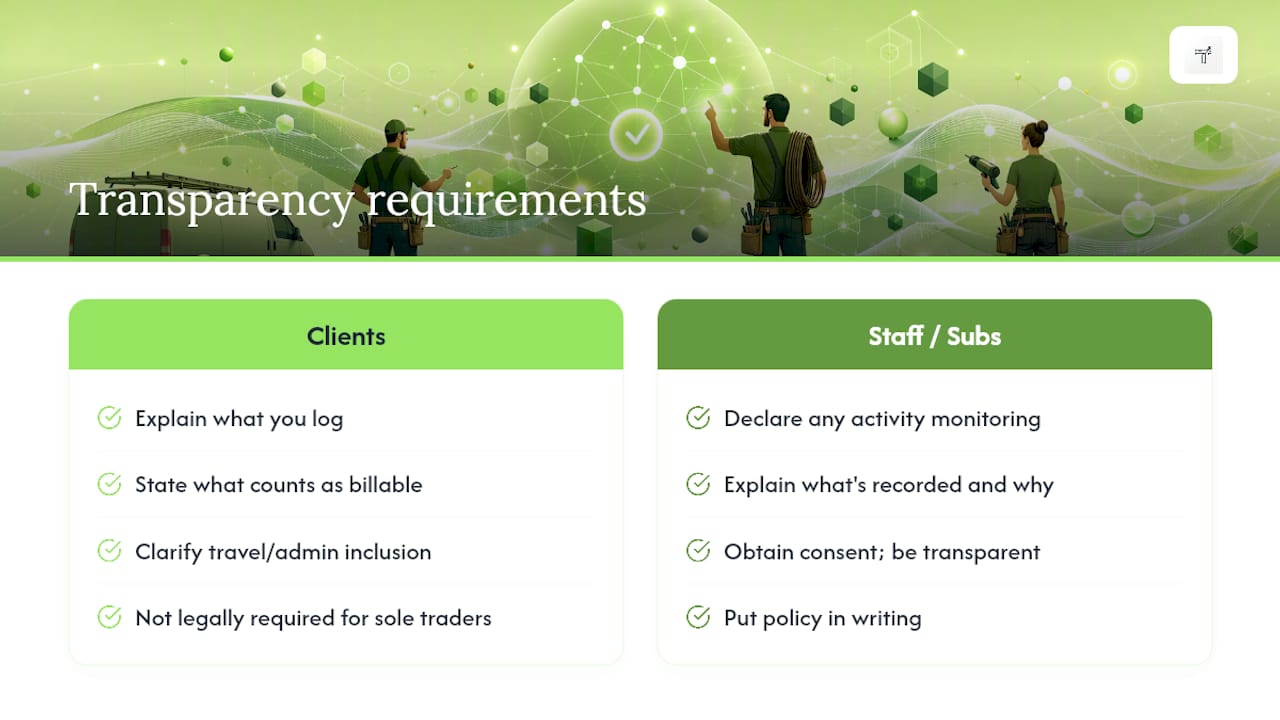
If you’re tracking time against a specific client’s project, it’s worth being upfront in your terms about how you log hours, what counts as billable, and whether travel or admin time is included. This isn’t a legal requirement for most sole traders in the way GDPR governs personal data, but it avoids the awkward conversation where a client sees a line item they weren’t expecting. Sharing tracked progress with clients where appropriate, even a simple running total, is one of the more effective ways to reduce billing disputes before they start, since nobody’s surprised by the final number.
If you employ staff or subcontractors and use any form of activity monitoring, whether that’s screen capture or location tracking on a mobile time app, you have a genuine obligation to be clear with them about what’s being recorded and why. Consent and transparency aren’t optional extras here; they’re the difference between a legitimate business tool and something that damages trust with the people working for you. Keep the policy simple, put it in writing, and apply it the same way to everyone.
Tips for improving personal time management to maximise billable hours
Better time management isn’t about working longer. It’s about shrinking the gap between hours worked and hours actually captured, which for most sole traders is a bigger lever than raising rates.
Batch your admin. Doing invoicing, quoting, and follow-up calls in one dedicated block, rather than scattering them across the day, protects the rest of your time for billable work and stops small admin tasks silently eating into a job. Block out travel and buffer time honestly in your schedule rather than assuming you’ll “fit it in,” since underestimating travel is one of the most common ways a day’s billable total comes in lower than expected.
Protect your first and last hour. Many tradespeople lose time at the start of a job (setting up, checking the brief again) and the end of it (packing up, chatting) that never gets logged. Decide upfront whether that counts as billable and log it consistently either way. And review your week, not just your day: a single busy Tuesday can hide a quiet Thursday, and only a weekly view shows whether your overall utilisation is where it needs to be.
Handling disputes or client questions about billed hours
Most billing disputes aren’t about the rate. They’re about a client not understanding what a line item represents, and that’s almost always fixable with better detail rather than a discount.
When a client queries an invoice, the fastest resolution comes from pulling the underlying time log, not just the total. If every entry has a short, specific description (“boiler service, 14 Elm Street, 1.5hrs”) rather than a vague one (“job, 1.5hrs”), you can answer most questions in a two-line reply instead of a back-and-forth phone call. This is exactly why the daily logging habit from earlier in this guide matters: a well-kept record is also your best defence.
If a dispute is genuinely about scope, whether the work matches what was agreed, rather than the hours themselves, resolve the scope question first and separately from the billing question. Don’t discount the hours as a way of avoiding an awkward scope conversation; it sets a precedent that the next invoice will also be negotiable. Where you do agree an adjustment, apply it as a visible line item on the invoice, not a silent change to the hours, so both sides can see exactly what happened and why.
What I’d actually change first
If you’ve read this far and you’re still logging time on paper or trying to remember Tuesday’s hours on Friday, the single change worth making before any other is the weekly reconciliation. Not the fanciest app, not a complete overhaul of your invoicing. Just thirty minutes, same time every week, where you check every entry has a client, a project, and a proper description attached.
Most of the revenue leakage covered earlier in this guide doesn’t come from dishonesty or laziness. It comes from busy people doing genuinely billable work and simply not writing it down in the moment, because the next job is already calling. A fixed billing cut-off date forces the review to actually happen, rather than drifting into “I’ll do it properly next month.” Pick the date. Put it in your calendar. Treat it as non-negotiable, the same way you’d treat a client appointment.
The tools matter less than people assume. A spreadsheet used religiously every week beats a sophisticated app opened once a fortnight in a panic.
— Simon
Let TradeTally do the tracking while you get on with the job
There are other routes to accurate billing, a spreadsheet, a desktop timer, a general-purpose tracking app, but none of them were built around a tradesperson standing in a client’s driveway with muddy boots and no laptop. TradeTally was. It gives you a mobile timer you can start and stop from your phone, an instant invoice generated from that logged time before you’ve even left the job, and receipt capture that keeps materials costs alongside your hours in one place.
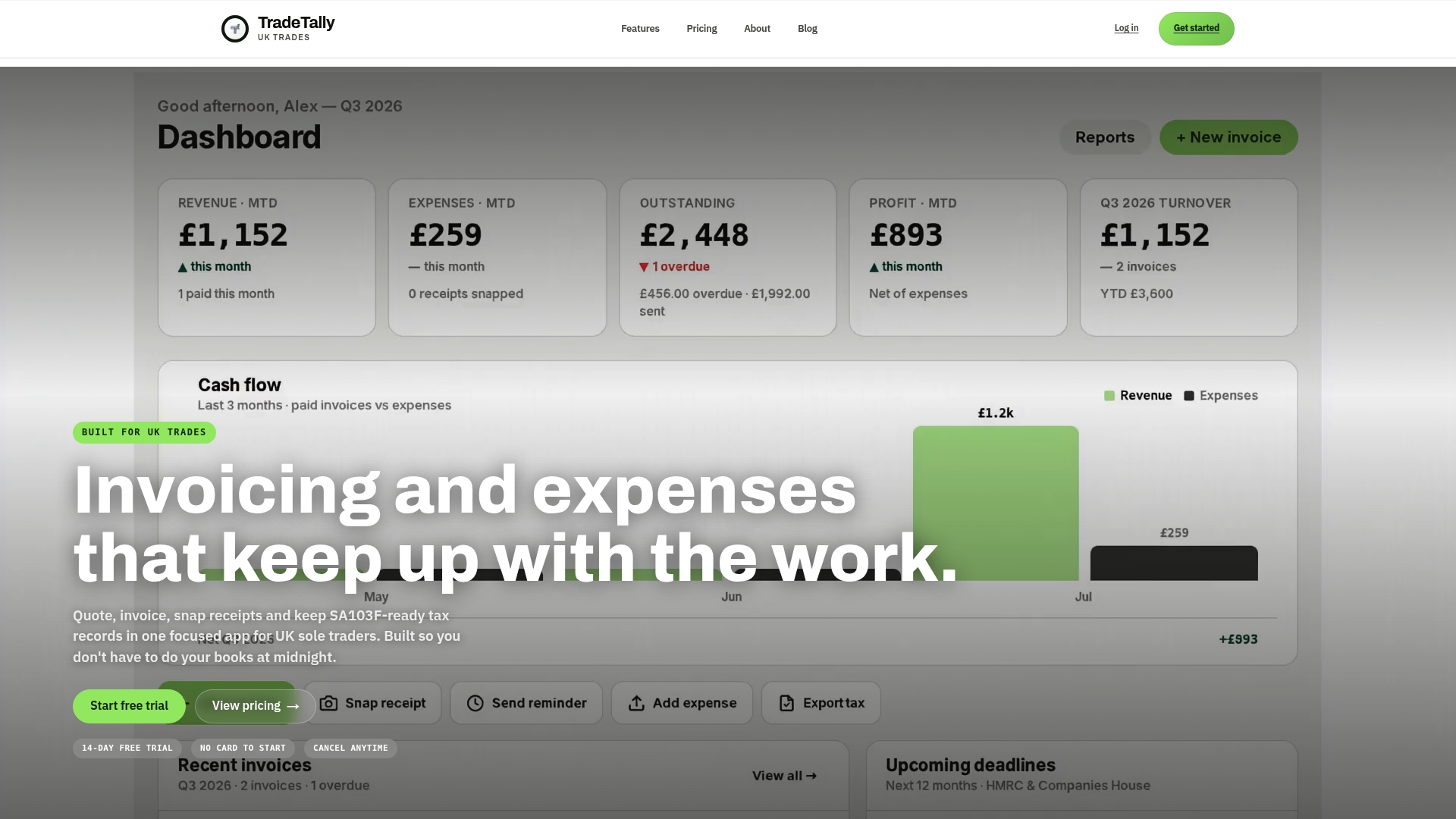
At tax time, that same record exports straight into SA103F format for Self Assessment, so the weekly reconciliation habit covered throughout this guide feeds directly into your annual return rather than sitting in a separate spreadsheet you have to reconcile all over again. If you want to see whether your current rate actually covers your time and costs, try the Self Assessment tax calculator or check your figures with the VAT calculator before your next invoice run. Carpenters, window fitters, and other trades can also see a version built around their specific jobs on the carpenter invoicing page. Start a trial and log your next job’s time straight from your phone.
Sources
- Gov
- Soletradertaxcalculator
- Time tracking and billing for UK agencies (2026 guide) - Alto Accounting
FAQ
What is the best way to track billable hours?
A real-time timer combined with a weekly 30 to 60 minute reconciliation is the most reliable approach, since it prevents the memory gaps that come from reconstructing time after the fact. For field trades, a mobile app like TradeTally that links time directly to an invoice removes the extra step of manual re-entry.
How do I keep track of my hours worked?
Log time as you work using a timer, whether that’s a mobile app, desktop software, or a simple spreadsheet entry made the moment a task finishes rather than at the end of the day. Review the log weekly to catch missing entries and confirm billable status before you invoice.
What is a good free app to track my work hours?
Many timer apps offer a free tier suitable for very light use, though most cap features like invoicing or export once you take on more clients. For sole traders who need time tracking linked directly to invoicing and tax records, a paid trade-focused app such as TradeTally typically pays for itself through recovered billable hours and faster invoicing.
What counts as billable versus non-billable time?
Billable time is work a client has agreed to pay for and directly tied to their job, while non-billable time covers admin, marketing, or unpaid pitching that keeps your business running generally. Grey areas like travel time should be defined in a clear policy and applied consistently to every client.
How long do I need to keep time and invoice records for tax purposes?
HMRC requires sole traders to keep business records for at least five years after the 31 January filing deadline for the relevant tax year. Consistent time logs kept alongside invoices are strong supporting evidence if HMRC ever queries a Self Assessment return.
Recommended
Ready to sort your trade admin?
TradeTally gives UK sole traders invoicing, expenses, and SA103F-ready tax exports in one mobile-first app.
Start 14-day Pro trial →No card required