Self Assessment Mistakes UK Tradespeople Can Catch on Their Phone
The costliest Self Assessment mistakes are missing the 31 January deadline, leaving out income, claiming expenses wrongly, keeping thin records, entering the wrong UTR or National Insurance number, and making arithmetic slips. Check your deadlines and your records today. If you have already filed with HMRC and spot an error, prepare to amend inside the allowed window. A mobile record tool such as TradeTally makes that far easier.
TL;DR:
- For 2025/26, the online return and tax owed are due January 31, 2027; payments on account are due January 31 and July 31.
- You do not owe payments on account if your previous tax bill was under £1,000 or at least 80% of your tax was paid at source.
- Above £1,000 in gross receipts, choose the trading allowance or actual expenses, never both; apportion phone and vehicle costs used personally.
- For turnover of £90,000 or more, use full self employment pages; disclose provisional figures in box 103, explain why, and state when final figures will follow.
- After filing, wait 72 hours before amending; online corrections are allowed within 12 months of the filing deadline.
Table of Contents
- 1. The most common Self Assessment errors, and a fix for each
- 2. Which deadlines and payments catch people out?
- 3. What income and supplementary pages must you include?
- 4. How do you avoid the £1,000 trading allowance trap?
- 5. What records should you keep, and for how long?
- 6. How do you check personal details before submitting?
- 7. How do you fix calculation errors and amend a return?
- 8. What penalties apply, and what is reasonable care?
- 9. What should you check in the last 48 to 72 hours?
- 10. A view from someone who sees these returns coming together
- 11. How can a mobile app help you avoid filing mistakes?
- FAQ
- Sources
1. The most common Self Assessment errors, and a fix for each
- Missing the deadline: put the date in your phone calendar now, with a reminder in advance.
- Leaving out income: list every source, including cash jobs and one-off work.
- Wrong UTR, National Insurance number or personal details: check them against an old return or HMRC letter.
- Claiming expenses wrongly: pick either actual costs or the trading allowance, not both.
- Forgetting supplementary pages: tick off each income type before you start.
- Poor records: photograph receipts the day you get them.
- Calculation errors: re-add every total against your bank statements.
- Not amending: if you find a mistake after filing, correct it within HMRC’s window.
2. Which deadlines and payments catch people out?
The online submission deadline for the 2025/26 tax year is 31 January 2027, and any tax owed is due the same day. Payments on account fall on 31 January and 31 July. Many traders leave everything to the final week, then discover a payment on account they had not budgeted for.
Payments on account are due on 31 January and 31 July, unless your previous tax bill was under £1,000 or at least 80% of your tax was already paid at source. That is HMRC’s own rule, and it is worth checking whether you qualify for the exemption.
- Set your own deadline ahead of HMRC’s.
- Pay by direct debit or through the HMRC app so you never rely on memory.
- If a payment will be late, contact HMRC straight away to agree a plan before penalties escalate.
3. What income and supplementary pages must you include?
Omitted income is the quickest route to an HMRC enquiry. Cash payments, freelance side jobs, rental receipts and dividends all count, and so do jobs paid in kind that you would normally invoice for. If it came in, it belongs on the return.
Matching the right pages to your situation matters just as much. Use the full self-employment pages when turnover is £90,000 or more, or when you need to make adjustments. Foreign income goes on the SA109 pages.
- Reconcile your bank statements against your invoices.
- Check CIS deduction slips and any P60 against what you have entered.
- If you must use provisional figures, declare them in box 103 on SA103F, explaining why and when final figures will follow, as HMRC’s helpsheet describes.
4. How do you avoid the £1,000 trading allowance trap?
HMRC sets out what counts as an allowable business expense: tools, materials, insurance, vehicle running costs and the like. Disallowable items include fines and personal spending.
The trap is the allowance. If your gross receipts are £1,000 or less, you can use the £1,000 trading allowance. Above £1,000, you must choose the allowance or your actual expenses. You cannot claim both.
- Apportion mixed-use items: if you use your phone for both work and personal reasons, claim only the business-use share of the bill.
- Apply the same logic to your van if it is also your family vehicle.
- Consider simplified expenses for vehicles where they suit you.
Pro Tip: Work out both routes on paper before you commit. If your real costs beat £1,000, actual expenses nearly always win.
For more on capturing costs, see our expense tracking guide for sole traders.
5. What records should you keep, and for how long?
You do not send proof of expenses with your return, but you must keep it and show it if HMRC asks. HMRC’s business records rules also warn that inadequate records can lead to penalties of up to £3,000 in serious cases. Our Self Assessment records checklist goes through HMRC’s record-retention rules.
- Sales invoices and quotes
- Receipts for every expense
- Bank statements, business and personal if mixed
- CIS statements and P60s
Build small habits: capture receipts weekly, match invoices to bank entries, and keep one digital folder per tax year. Tools built for tradespeople, such as AI2Fin’s glovebox receipt approach, show how digital capture removes the shoebox at year end.
6. How do you check personal details before submitting?
A wrong UTR or National Insurance number can stall processing, leave your return unmatched and delay refunds or confirmations. You will find both in your personal tax account, on previous returns and on HMRC letters.
- Confirm your UTR and National Insurance number digit by digit.
- Check your address, email and phone number are current.
- Verify the bank details where you expect any repayment.
If something changes before you file, tell HMRC first, then complete the return with the updated details.
7. How do you fix calculation errors and amend a return?
Most arithmetic slips come from copying totals between spreadsheets, paper and bank apps. Reconcile your totals before you press submit, and again after you file.
- Re-add income and expenses and compare them against your bank statements.
- If you used provisional figures, note them in box 103 on SA103F and diarise the final numbers.
- Wait 72 hours after filing before amending, so HMRC’s systems can process the first return.
- Amend online within 12 months of the filing deadline, following the HMRC corrections guidance.
8. What penalties apply, and what is reasonable care?
HMRC expects you to take reasonable care with your return. Using an accountant does not remove your responsibility for its accuracy. Deliberate errors attract higher penalties than careless ones.
Late filing starts with an initial £100 penalty, followed by daily penalties and further percentage charges after 6 and 12 months, according to HMRC’s penalties page. Late payment penalties and interest apply on top.
- Gather your records before you reply to any HMRC letter.
- Respond within the timescale given.
- If you have a reasonable excuse for a late filing or payment, appeal.
9. What should you check in the last 48 to 72 hours?
- Confirm the filing and payment dates, and that the money is in your account.
- Verify your UTR and National Insurance number.
- Reconcile every income total against bank statements and CIS slips.
- Review expense categories and apportionments.
- Make sure supplementary pages are included.
- Capture final digital copies of any outstanding receipts.
- Note any provisional figures and why you used them.
Pro Tip: Save a PDF of the finished return and your working notes in that year’s folder. It is your first line of defence if HMRC ever asks questions.
If you spot an error after submitting, wait 72 hours and then prepare your amendment inside the 12-month window.
10. A view from someone who sees these returns coming together
Most of the errors above are not about tax knowledge. They come from admin done late, from memory, in a rush. Tradespeople I speak to rarely forget to work; they forget receipts from merchants. Capturing receipts on site and exporting a ready SA103F can help with these tasks, and it is why we built TradeTally the way we did.
— Simon
11. How can a mobile app help you avoid filing mistakes?
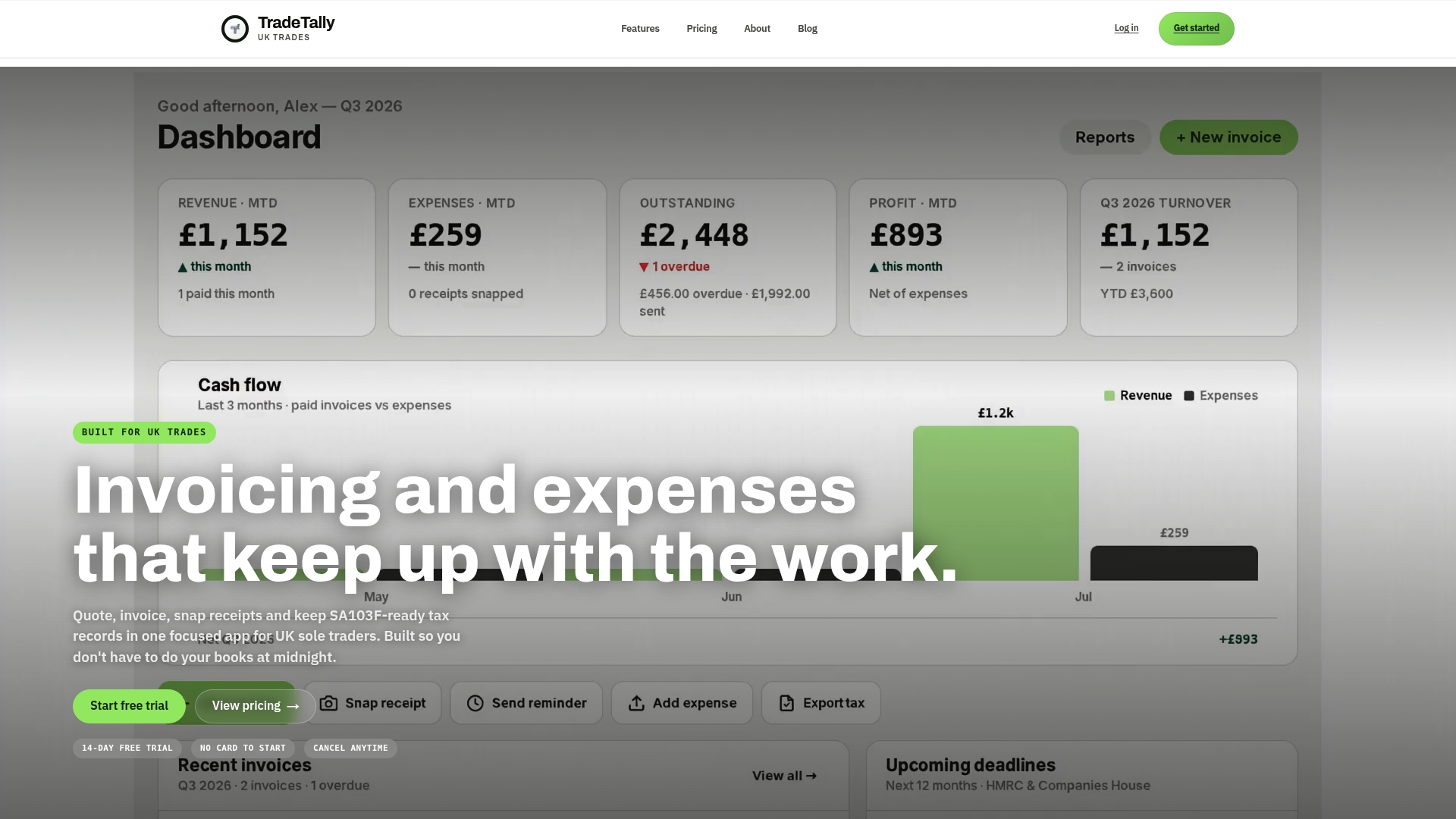
We built TradeTally so the late-night paperwork stops piling up. You can send branded invoices from your van, snap receipts as you get them, track mileage and expenses, and export your SA103F in one go. Our Starter plan is free, and Professional costs £12 per month or £120 per year on our pricing page. Start on the free tier at Tradetally and see how it can help you prepare your next return.
This article is general information, not a substitute for advice from a qualified financial advisor. Consult a qualified financial professional about your own circumstances before acting on anything here.

FAQ
What are the most common Self Assessment mistakes to avoid?
The usual culprits are late filing, omitted income, wrong personal identifiers, mishandled expenses and poor records. Fixing records early prevents most of the others.
Can I change my return after submitting it?
Yes. You can amend an online return up to 12 months after the filing deadline, and HMRC advises waiting 72 hours after filing before you submit the amendment. See the HMRC corrections page.
Can I use estimates if I do not have final figures?
Provisional figures are acceptable if you disclose them in the correct box, such as box 103 on SA103F, and explain why. Replace them with final figures as soon as you have them.
How long should I keep my Self Assessment records?
Keep the records HMRC requires for the applicable retention period, as its guidance on business records sets out. Keep evidence of your expenses and records so you can show them to HMRC if asked.
Recommended
Ready to sort your trade admin?
TradeTally gives UK sole traders invoicing, expenses, and SA103F-ready tax exports in one mobile-first app.
Start 14-day Pro trial →No card required