Store Records 5 Years: Self Assessment Checklist for UK Sole Traders
Every Self Assessment return rests on four pillars: income records, expense receipts, bank statements and proof of any tax already deducted, such as CIS statements. Gather digital copies of these now and keep them for at least five years after the 31 January deadline. Then check whether Making Tax Digital applies to you, because that changes how often you need to update your records.
TL;DR:
- For 2025/26, paper returns are due October 31, 2026, and online returns and payment are due January 31, 2027; missing either triggers a £100 penalty.
- MTD starts in April 2026 for sole traders with qualifying income over £50,000; thresholds then fall to £30,000 in 2027 and £20,000 in 2028.
- MTD requires dated, categorized digital transactions, quarterly updates through HMRC recognized software, a usual annual return, and retention of the invoices and receipts behind entries.
- Separate expenses by category; client entertainment, fines, and ordinary clothing are not allowable, while stock and unfinished work need year end valuations.
- HMRC may flag industry mismatches, rounded expense claims, incomplete mileage logs, or mixed personal and business spending, so keep records tied to each transaction.
Table of Contents
- Comprehensive checklist: income, expenses and special categories
- Retention rules, filing deadlines and penalties
- Making Tax Digital: who’s in scope and what digital records must include
- How to organise records: folders, file naming and backup routines
- TradeTally workflow: from job to SA103F-ready export
- Final checks before filing: reconciliation and common pitfalls
- HMRC enquiries: what triggers them and how to respond
- Record-keeping as a daily habit, not a January scramble
- Get your records Self Assessment ready with TradeTally
- FAQ
- Sources
Comprehensive checklist: income, expenses and special categories
HMRC can ask for evidence behind every figure on your return, so the safest approach is to collect more than you think you need and label it clearly as you go. Helpsheet HS222 sets out the usual records required to calculate taxable profits, including sales, purchases, assets and vehicle costs, so it is worth treating as your baseline.
Start with income. You need a record of every sale, whether paid by card, bank transfer or cash, along with the invoices you raised and any bank statements showing the money landing. If you have rental income, other self-employment or employment alongside your trade, keep that separate but equally well documented. Your UTR sits on your HMRC account and any previous return; a P60 or P45 covers employment income if you also worked for someone else during the tax year.
Expenses need the same rigour, broken down by category so nothing gets lumped together and misclaimed:
- Materials and stock: supplier invoices and delivery notes for anything bought to complete a job.
- Vehicle and travel costs: fuel receipts, mileage logs, servicing invoices and parking tickets.
- Tools and equipment: purchase receipts and, where relevant, capital allowance calculations.
- Subcontractor payments: CIS deduction statements showing tax already withheld.
- Office and admin: phone bills, software subscriptions and a reasonable share of home costs if you work from home.
- Insurance and professional fees: public liability cover, accountancy fees and trade body memberships.
Not everything is allowable. Client entertaining, personal clothing (unless it is genuine protective workwear) and fines all fall outside what HMRC will accept, so keep a mental note of the dividing line rather than assuming every business-adjacent cost counts.
Proof comes in several forms, and HMRC is not fussy about format as long as it is legible and dated: bank statements, till rolls, paper receipts, signed contracts and CIS deduction statements all count. If you are VAT-registered, your VAT ledgers and returns need to sit alongside your income and expense records, and if you run payroll for employees, your PAYE reports belong in the same file. Anyone holding stock or part-finished jobs at the end of the tax year should value that stock and work-in-progress, since HS222 treats this as part of calculating an accurate profit figure.
Pro Tip: Photograph receipts the moment you get them. Faded till rolls are one of the most common gaps HMRC flags during an enquiry.
Retention rules, filing deadlines and penalties
Records must be kept for at least five years after the 31 January submission deadline for the relevant tax year, according to GOV.UK guidance on business records. For the 2025/26 tax year, that means keeping everything for at least five years after the 31 January submission deadline. If you filed late, or HMRC has opened an enquiry, hold onto the records for longer, until the matter is fully resolved.
The filing calendar itself is unforgiving. For the 2025/26 tax year, the paper return deadline is 31 October 2026, while online filing and paying any tax owed falls due by 31 January 2027. Miss either and the penalties stack quickly:
- An initial £100 penalty applies as soon as you miss the deadline, even if you owe no tax.
- Daily penalties of £10 kick in after three months of continued delay.
- At six months, a further penalty of 5% of the tax due or £300, whichever is higher, is added.
- The same 5% or £300 charge repeats at twelve months, plus interest accruing on any unpaid tax throughout.
Working out your own “keep until” date is simple once you have the filing date: take 31 January of the year you submitted, add five years, and that is your floor. If you filed the 2024/25 return in January 2026, keep those records until January 2031 at the earliest. Filing late pushes that date back further, so it pays to file on time even when you expect to owe nothing.
Making Tax Digital: who’s in scope and what digital records must include
Making Tax Digital for Income Tax changes record-keeping from an annual scramble into an ongoing habit, and the rollout is phased by income. From April 2026, sole traders with qualifying income over £50,000 must use MTD for Income Tax. The threshold drops to £30,000 from April 2027, and again to £20,000 from April 2028, bringing most working sole traders into scope within a few years.
Being in scope means your digital records need specific fields, not just a shoebox of receipts turned into a spreadsheet at year end. Each entry should capture:
- The amount of the transaction.
- The date it occurred.
- The category it falls under, matching how HMRC expects income and expenses to be grouped.
Quarterly updates then replace the single annual submission, sitting alongside your usual end-of-year return rather than removing it. You must use HMRC-recognised compatible software to submit these updates, and you still need to retain the underlying paper or digital evidence, invoices, receipts, bank statements, because digital summaries alone will not satisfy an enquiry.
If you are weighing up whether MTD applies to you and what your software needs to handle, our guide to Making Tax Digital software for sole traders walks through the practical requirements in more detail.
Pro Tip: Check your qualifying income against the thresholds now, even if your mandation date feels years away. Software migration is far less stressful when it is not done in a panic the month before your first quarterly deadline.

How to organise records: folders, file naming and backup routines
A workable system beats a perfect one you abandon after a fortnight. Here is a routine that holds up under the pressure of a busy trading year:
- Set up one folder per tax year, named clearly (for example “2025-26 Tax Year”), with subfolders for income, expenses, bank statements and CIS statements.
- Name files consistently: date, supplier or client, and amount works well, such as “2026-03-14_Wickes_Materials_£84.50”.
- Digitise everything as it arrives: photograph receipts with your phone, scan paper invoices, and save bank statements as PDFs rather than relying on your bank’s own archive, which may not go back as far as you need.
- Use OCR where available so scanned receipts become searchable, saving time if HMRC ever asks for a specific transaction.
- Back up to the cloud rather than a single device, so a lost phone or a dead laptop never means lost records.
- Reconcile weekly or monthly: match bank transactions to invoices and receipts while the details are still fresh, and note any accruals or work-in-progress as you go.
- Build an “HMRC pack” once a year: a single folder containing everything an accountant or an HMRC officer would need, ready to hand over without a last-minute search.
Our guide on how to track business expenses as a sole trader covers the tagging habits that make weekly reconciliation quicker, particularly for anyone juggling multiple jobs in a week.
Pro Tip: Reconcile little and often. An hour on a Sunday evening is far less painful than a weekend lost to receipts in January.
If building an online presence to support your invoicing and client-facing paperwork is also on your list, TK Marketing builds websites specifically for UK trades businesses, which can sit neatly alongside a tidy back-office system.
TradeTally workflow: from job to SA103F-ready export
We built TradeTally around the reality of a working day on site, not a desk job. The app lets you create a job, raise an invoice before you have even left the van, and snap a photo of every receipt the moment it lands in your pocket, rather than hoping it survives until you get home.
A typical day looks like this: you create the job in the app, invoice the client on completion, photograph the materials receipt at the till, and tag the cost against that job in seconds. Over a tax year, those tagged entries build into a running set of records that exports directly in a format ready for your SA103F pages, so the handoff to your accountant, or your own online submission, is a matter of minutes rather than an evening lost to spreadsheets.
This workflow fits best if you are mobile for most of your working week and currently relying on paper receipts or a mix of apps that do not talk to each other. Features relevant to the record-keeping checklist above include:
- Branded invoicing created on site at the point of job completion.
- Receipt capture that tags costs against individual jobs as you go.
- Tax-ready bookkeeping that keeps income and expenses organised by category throughout the year.
- Automatic SA103F export for Self Assessment filing or accountant handoff.
Keeping records as you earn, rather than reconstructing them in January, is the single habit that separates a calm tax season from a stressful one.
Final checks before filing: reconciliation and common pitfalls
Before you submit, run through a short reconciliation routine rather than trusting that everything has landed correctly throughout the year:
- Reconcile your bank and cash balances against your own records so every transaction is accounted for.
- Chase outstanding invoices and bills, confirming what is genuinely owed to you and what you still owe suppliers at year end.
- Value stock and work-in-progress if you hold materials or part-finished jobs, using the approach set out in HS222.
- Use provisional figures sparingly: if a final number genuinely is not available, declare it as provisional in box 103, explain why, and set a date to follow up with the actual figure.
- Double-check commonly misfilled boxes, particularly the split between allowable and disallowable expenses and the CIS deduction figures, which are frequent sources of error.
If your figures do not add up or you are unsure which box something belongs in, HMRC’s own guidance and helpline are the first port of call, and a qualified accountant is worth the fee once your affairs get more complex than a single trade with straightforward expenses. Our Self Assessment tax calculator can give you a sense check on your liability before you submit.
HMRC enquiries: what triggers them and how to respond
Enquiries are not random. They tend to follow patterns HMRC’s systems flag automatically, so understanding the common triggers helps you avoid them entirely:
- Numbers that do not match: a return that looks out of step with your industry or your own prior years.
- Repeated round figures: expense claims that look estimated rather than recorded.
- Incomplete mileage logs: a common gap, since vehicle costs are one of the most frequently challenged categories.
- Mixing personal and business spending: using one bank account for both makes every transaction harder to justify.
If HMRC does open an enquiry, order your documents by category and date, matching the structure of your tax return as closely as possible, so an officer can follow your figures without needing to ask twice. Acceptable proof includes the same items you have been collecting all along, invoices, bank statements, receipts and contracts.
If some records are genuinely missing, HMRC accepts reconstructed figures based on your best estimate, provided you are transparent about the method you used and can show your workings. Honesty about a gap is always better than silence, since HMRC is far more concerned with you reaching an accurate figure than with the records being perfect.
Record-keeping as a daily habit, not a January scramble
I have watched enough tradespeople lose a weekend to a shoebox of receipts to know the real cost of Self Assessment is not the tax, it is the panic beforehand. The sole traders who find January painless are rarely more organised people. They have simply built a thirty-second habit: photograph the receipt, tag the job, move on.
A mobile-first routine turns record-keeping into something that happens between jobs rather than after them. That shift, from annual chore to daily habit, is the whole difference between dreading January and barely noticing it arrive.
— Simon
Get your records Self Assessment ready with TradeTally
Everything in this checklist works better when it happens automatically rather than manually. We built TradeTally so that invoicing, receipt capture and tax-ready records all live in one place, with SA103F export ready whenever you or your accountant need it.
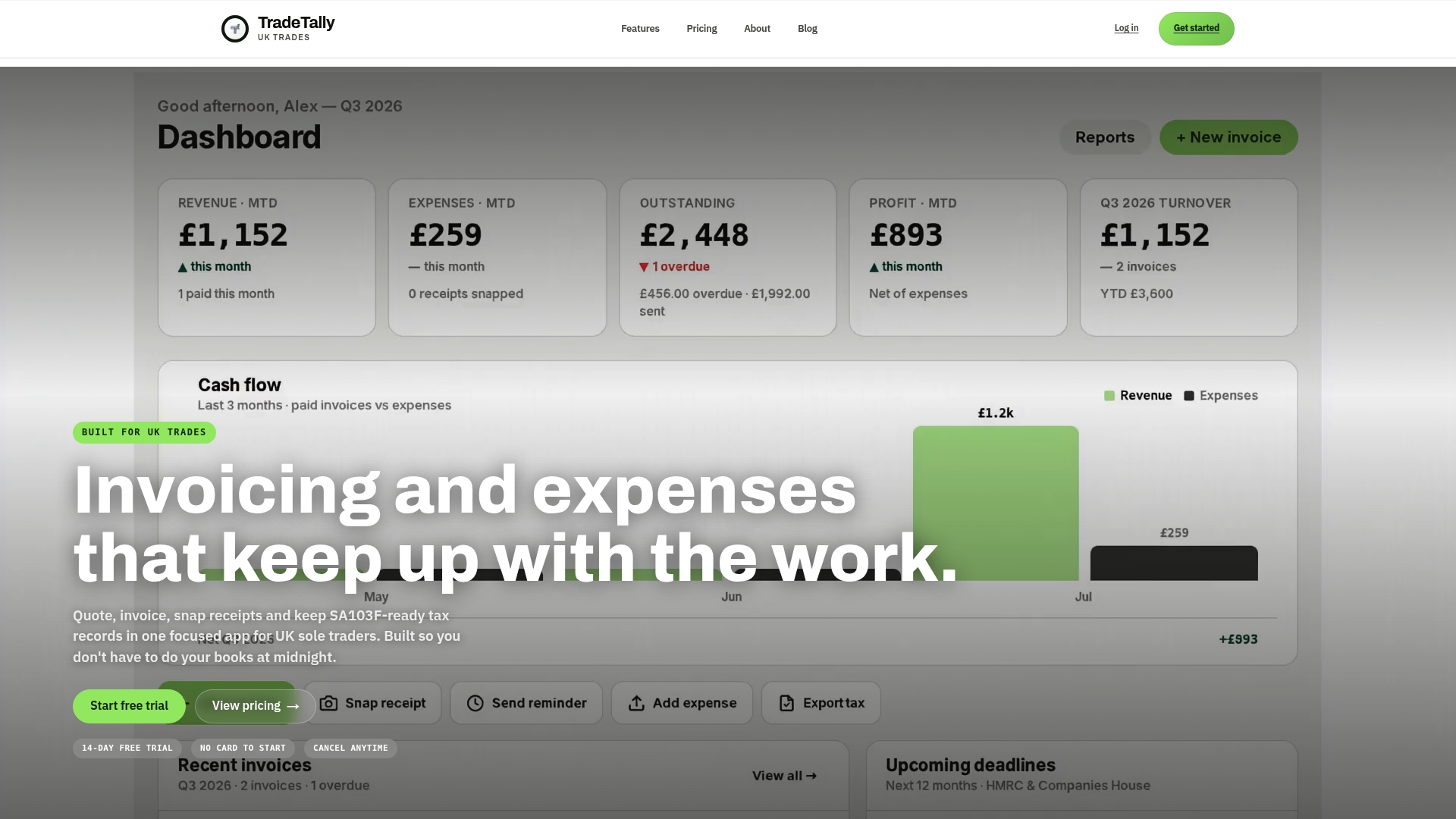
- Create branded invoices and quotes from your van between jobs.
- Snap receipts the moment they land and have them tagged automatically.
- Export SA103F-ready records in minutes, not evenings.
Start on the free Starter plan at Tradetally, or move to Professional at £12 per month (or £120 per year on the pricing page) once you need unlimited invoices and exports.
FAQ
What is the HMRC starter checklist?
The starter checklist is a form new employees complete when they begin a job without a P45, giving an employer the information needed to set up PAYE correctly. It is separate from Self Assessment record-keeping, though sole traders who also take on employed work may encounter it from the employer side.
Do I need to keep seven years of bank statements?
No, GOV.UK guidance states records must be kept for at least five years after the 31 January submission deadline for the relevant tax year, not seven. Keep them longer only if you filed late or HMRC has opened an enquiry into that year’s return.
How does HMRC check your Self Assessment?
HMRC can open an enquiry into any return within the relevant time limit, often triggered by figures that look inconsistent with your industry or your own history. During an enquiry, officers typically request invoices, bank statements, receipts and contracts to verify the figures declared.
What information do I need to complete my Self Assessment?
You need your income records (invoices and bank statements), expense receipts broken down by category, your UTR, and any CIS deduction statements if you work as a subcontractor. Helpsheet HS222 sets out the fuller list of records needed to calculate your taxable profit accurately.
Recommended
Ready to sort your trade admin?
TradeTally gives UK sole traders invoicing, expenses, and SA103F-ready tax exports in one mobile-first app.
Start 14-day Pro trial →No card required