MTD for ITSA: 6 Steps to Get Ready
If your combined gross self-employment and rental income on your most recent Self Assessment return exceeds the applicable threshold, you must use MTD for ITSA from 6 April 2026. This means HMRC-compatible software, digital records, and quarterly updates. Check your last tax return today, then choose your software before the first quarter starts.
TL;DR:
- Qualifying income over £50,000 from self-employment and rental sources will require MTD for ITSA starting April 2026, with thresholds gradually lowering in subsequent years.
- Digital records must include transaction date, amount, description, category, and relevant property or business, maintained separately for each income stream.
- Using software with automatic bank feeds and digital links is essential to avoid compliance issues and minimize manual data entry during quarterly updates.
- Missed quarterly deadlines lead to points-based penalties, but these reset after a period of timely submissions; early preparation and reminders are key.
- Small traders should choose routines like cloud software or apps that capture receipts on the go, set quarterly alerts, and trial their process early to prevent compliance surprises.
Table of Contents
- Who has to use MTD for ITSA and when?
- What counts as a digital record, and which software works?
- How do quarterly updates and deadlines actually work?
- Can you get an exemption from MTD for ITSA?
- What happens if you miss a quarterly deadline?
- A six-step readiness checklist before your first quarter
- How does MTD change your Income Tax Self Assessment?
- How do you register for MTD for ITSA?
- What if you have income from several sources?
- Will your accountant’s role change under MTD?
- What usually goes wrong with MTD software submissions?
- TradeTally’s perspective: making MTD practical for tradespeople
- How TradeTally helps you get quarter-ready
- Sources
- FAQ
Who has to use MTD for ITSA and when?
The scope test is built around one number: your gross qualifying income. That’s your total self-employment turnover plus gross property income, added together before expenses come off, taken from your most recent Self Assessment return. It’s not profit, and that catches people out every year.
MTD for ITSA becomes mandatory in three stages:
- From 6 April 2026: qualifying income over £50,000
- From April 2027: qualifying income over £30,000
- From April 2028: qualifying income over £20,000
Qualifying income excludes employment income, dividends, savings interest, pension income, and capital gains. If you’re a plumber earning £42,000 from your trade and £9,000 from a rental flat, your £51,000 combined total tips you into the 2026 cohort even though neither income alone crosses £50,000.
Joint property ownership counts only your share, not the total rent collected. Partnerships are assessed on partnership income separately from any personal self-employment. New businesses part-way through a tax year usually have their income annualised to test against the threshold, so a trader who started in January with £15,000 in three months could still be pulled into scope once HMRC projects that figure across a full year, a point Deloitte’s analysis flags as a common surprise. Some taxpayers qualify for automatic or temporary exemptions in the early cohorts, covered in detail further down.
What counts as a digital record, and which software works?
HMRC’s digital record-keeping direction sets out exactly what a compliant record must contain. Every transaction needs:
- The date of the transaction
- The amount
- A description of what it was for
- The category it falls under (materials, mileage, rent received, and so on)
- Which business or property it relates to, if you run more than one
Records must be kept separately for each self-employment business and each property income source, then created and stored digitally from the outset. HMRC’s guidance on creating digital records confirms that scribbling figures on paper and typing them into a spreadsheet weekly doesn’t meet the standard on its own.
This is where “digital links” trip people up. A digital link means data moves from one piece of software to another without manual retyping or copy-pasting. A spreadsheet can work, but only when it’s connected to HMRC-recognised submission software through a bridging tool. Practitioners warn that manual re-entry between spreadsheets and submission tools is one of the most common causes of non-compliance, because the moment someone retypes a figure by hand, the digital link is broken.
Three realistic workflows exist: full cloud accounting software, a spreadsheet paired with a bridging tool, or a trade-specific app that captures receipts and invoices as you go. Records generally need keeping for at least five years after the 31 January submission deadline for the relevant tax year.
Pro Tip: Set up bank feeds before your first quarter starts, not during it. Retrofitting automation onto three months of manually logged transactions is far more painful than starting clean.
How do quarterly updates and deadlines actually work?
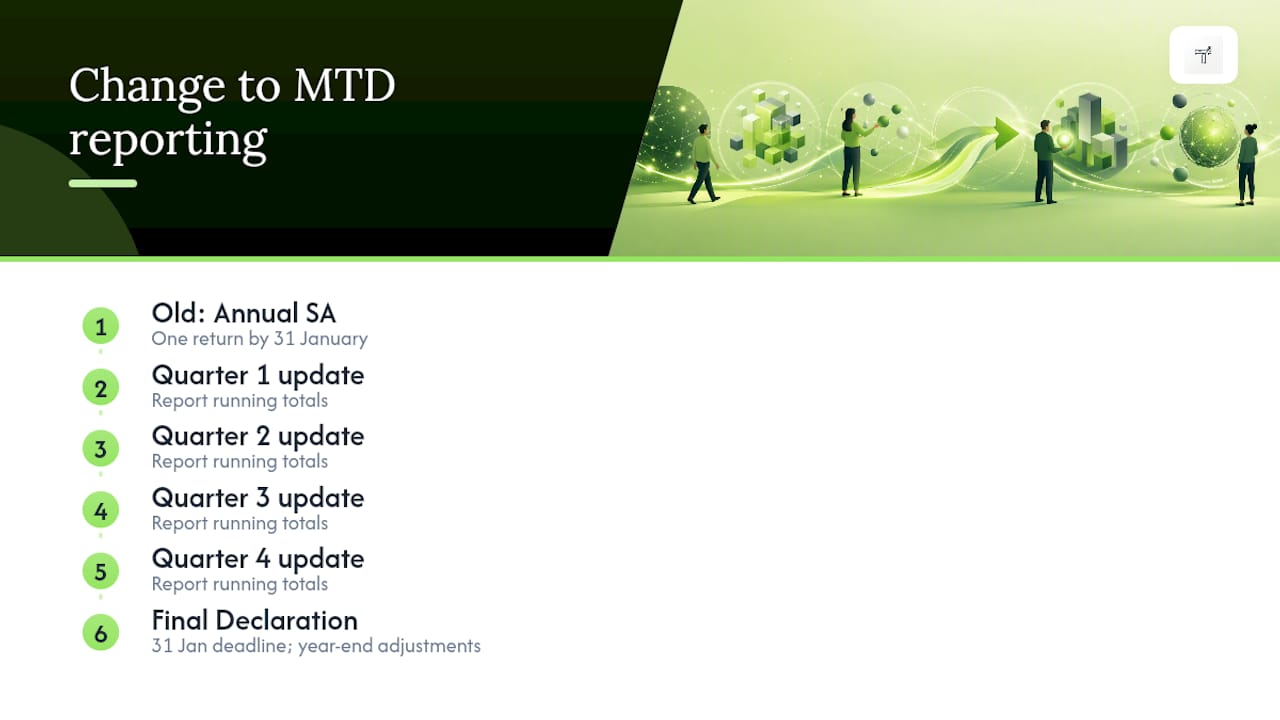
Quarterly updates aren’t four separate mini tax returns. They’re cumulative, meaning each submission builds on the last, running totals that HMRC checks and refines as the year goes on before everything feeds into your Final Declaration, which replaces the old Self Assessment return.
- Quarter 1 (6 April to 5 July): update due by 7 August
- Quarter 2 (6 July to 5 October): update due by 7 November
- Quarter 3 (6 October to 5 January): update due by 7 February
- Quarter 4 (6 January to 5 April): update due by 7 May
- Final Declaration: due by 31 January following the end of the tax year, in line with the current Self Assessment deadline
Some software supports calendar-quarter alignment (1 January to 31 March, and so on) rather than the standard tax-quarter dates, which shifts your submission dates but not the underlying cumulative logic.
Before each deadline, reconcile your bank feed against your recorded transactions, check that HMRC hasn’t flagged a mismatch with data it already holds (such as employment income), and fix any coding errors before you press submit rather than after.
Can you get an exemption from MTD for ITSA?
Not everyone in scope on paper ends up filing quarterly straight away. HMRC built in several routes out, at least temporarily.
- Automatic exemptions apply to specific groups HMRC already recognises as unable to comply, without needing to apply.
- Temporary exemptions can push someone’s start date back, for example a trader who crosses £50,000 only briefly and drops back under £30,000 the following year might not face mandation until April 2027.
- The digital exclusion exemption is an applied-for route for people who genuinely cannot use digital tools, due to age, disability, remoteness, religion, or another barrier HMRC accepts as reasonable.
Applying for digital exclusion means gathering evidence before you contact HMRC, not after. Think medical documentation, evidence of no broadband access at your location, or a clear account of why software genuinely isn’t workable for you. Vague requests without supporting detail get rejected far more often than well-documented ones. Apply as soon as you know you’re likely to qualify. HMRC processing takes time, and leaving it until weeks before your first quarterly deadline puts you at real risk of missing it regardless of the outcome.
What happens if you miss a quarterly deadline?
MTD for ITSA runs on a points-based penalty system rather than an instant fine for every late submission. Miss a quarterly update and you pick up a point. Reach four points as a quarterly filer, and a £200 fixed penalty lands. Points reset after a period of consistent on-time filing, so one slip doesn’t follow you forever.
That’s separate from interest on unpaid tax, which still accrues regardless of your points total, and separate again from enforcement action if tax genuinely goes unpaid. The practical fix is dull but effective: voluntary sign-up before mandation to test your workflow, automatic reminders set well ahead of each deadline, and an accountant briefed early enough to catch problems before they become penalties.
A six-step readiness checklist before your first quarter
Getting ahead of MTD for ITSA is less about grand planning and more about fixing your habits now, while there’s no deadline pressure.
- Check your last Self Assessment return. Add your gross self-employment income to your gross property income to see which threshold year applies to you.
- Choose your workflow. Pick cloud software, a spreadsheet with a bridging tool, or a trade-focused app built for capturing receipts on the move, and set up the digital links properly from day one.
- Turn on bank feeds and receipt capture. The less manual typing you do, the fewer digital-link failures you’ll hit later.
- Categorise consistently. Decide your categories once and stick to them; changing them mid-year makes reconciliation a headache.
- Set quarterly reminders now. Put all four submission dates and 31 January into your calendar today, not the week before each one.
- Trial the workflow early. Voluntary sign-up before mandation, or a dry run with your accountant, catches problems while there’s no penalty risk attached.
Pro Tip: Run one full quarter as a practice cycle even if you’re not mandated yet. It surfaces exactly where your current bookkeeping habits will break under the new rules, while there’s nothing riding on getting it right first time.
How does MTD change your Income Tax Self Assessment?
Income Tax Self Assessment has worked the same way for decades: earn your income across a tax year, then file one return by 31 January the following January summarising everything at once. It rewards people who are comfortable doing a big catch-up job once a year.
MTD for ITSA breaks that single annual event into five smaller ones. Instead of reconstructing twelve months of records in January, you report running totals four times a year, then submit a Final Declaration that confirms the year’s figures, applies any reliefs or adjustments, and settles your tax position. The Final Declaration is genuinely the closest thing to the old Self Assessment return still standing, keeping the same 31 January deadline and covering the same adjustments, like pension contributions or capital gains, that don’t fit neatly into quarterly trading updates.
The practical shift is behavioural more than technical. HMRC has been clear that the main hurdle for most sole traders isn’t understanding the rules, it’s changing from annual reconstruction to real-time capture. A trader who’s spent fifteen years doing tax admin once a year in January now needs habits that run continuously through the year. Nobody enjoys that adjustment, but it front-loads the effort into small, manageable chunks instead of one exhausting sprint.
How do you register for MTD for ITSA?
Registration isn’t automatic just because you cross a threshold. You need to act.
Start by confirming your qualifying income against your latest Self Assessment return, using the thresholds set out earlier. If you’re clearly over £50,000 for the 2026 mandation, don’t wait for a letter. HMRC has said it will contact taxpayers it believes are in scope based on data already held, but that outreach isn’t guaranteed to catch every case, particularly where income has grown since your last filed return.
Next, choose and set up HMRC-compatible software before you sign up. Signing up without a working digital record-keeping system in place just starts the clock on obligations you’re not ready to meet.
Once your software is chosen, sign up for MTD for ITSA through your HMRC online account or ask your agent to do it on your behalf. You’ll need your National Insurance number, Unique Taxpayer Reference, and details of your income sources. If you have both self-employment and property income, you register once but the system tracks each income source separately within your digital records.
After signing up, HMRC confirms your mandation date and the software vendor you’ve chosen links to your account through the API that powers submissions. From that point, your quarterly clock starts running from the beginning of the tax year in which you became mandated, not from the date you registered. Registering early, ahead of your actual mandation date, is entirely possible and often sensible.
What if you have income from several sources?
Multiple income streams don’t multiply your admin as much as you’d expect. But they do multiply the places things can go wrong.
If you’re a self-employed electrician who also lets out a buy-to-let flat, both income sources count towards the same £50,000 qualifying income test, added together. Once you’re in scope, though, you don’t file one combined quarterly update. You file separate digital records and separate quarterly updates for your self-employment business and for your property income, even though they roll up into a single Final Declaration at year end.
That separation matters because expenses, allowances, and categorisation rules differ between self-employment and property income. Mixing them in one spreadsheet tab, or letting one software subscription treat them as a single ledger, is a common way digital link requirements get breached without anyone noticing until HMRC flags a mismatch.
If you run two self-employment businesses, say a carpentry business and a separate small tiling sideline, each one typically needs its own set of digital records too. The upside is that most cloud software and specialist apps now let you tag transactions by business or property from the outset, so the separation happens automatically rather than needing a manual sort at quarter end. The discipline of keeping streams distinct from day one saves considerably more time than trying to untangle a shared spreadsheet months later.
Will your accountant’s role change under MTD?
Accountants aren’t being replaced by MTD for ITSA, but their job is shifting from an annual event to something closer to ongoing oversight.
Traditionally, many sole traders handed a shoebox of receipts to their accountant once a year and let them reconstruct the numbers. That model doesn’t fit quarterly reporting well, because there’s no time for a leisurely annual reconstruction between one deadline and the next. Agents are increasingly asked to review data throughout the year, flag categorisation issues quarter by quarter, and handle the Final Declaration adjustments that quarterly updates don’t cover.
For many small business owners, this means agent fees shift from a single annual invoice to quarterly check-ins, though the total workload an accountant does may not change dramatically once digital records are already in good shape before they see them. Where an accountant previously spent hours untangling a year of paper receipts in January, that work happens faster when records are already digital and continuously reconciled.
Some agents now offer to handle submissions directly through their own MTD software, meaning your job is simply to keep clean digital records and hand over read access rather than filing anything yourself. Others prefer clients submit their own quarterly updates and only step in for the Final Declaration. Either way, the conversation to have now, before mandation hits, is which model your accountant expects to run and what they need from your record-keeping to make it work smoothly.
What usually goes wrong with MTD software submissions?
Most submission problems trace back to a handful of predictable causes, and nearly all of them are avoidable with a bit of forward planning.
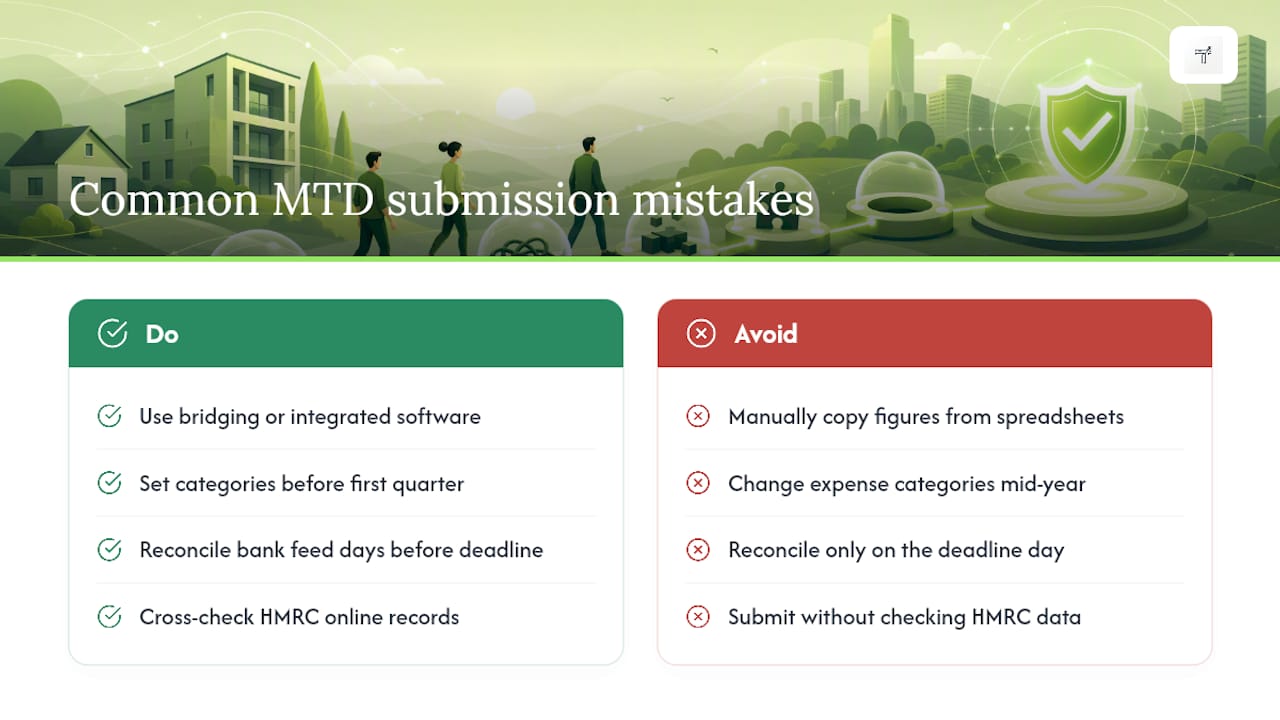
The single biggest issue is the digital links failure described earlier: someone copies figures from a spreadsheet into submission software by hand, breaking the unbroken digital chain HMRC requires. The fix is setting up genuine bridging software or switching to an integrated tool where data flows automatically rather than through manual re-entry.
The second common problem is category drift, where a trader changes how they label expenses partway through the year, so quarter three doesn’t match the coding used in quarter one. That makes reconciliation at Final Declaration stage far messier than it needs to be. Decide your categories once, ideally before your first quarter, and don’t revisit the scheme unless you genuinely have to.
A third issue is submission timing errors, where a bank feed lags and a transaction from late in one quarter gets caught in the next quarter’s update instead. Reconciling your bank feed a few days before each deadline, rather than on the deadline itself, gives you room to catch and correct these before you submit rather than after.
Finally, some traders simply don’t check what HMRC already holds on file before submitting, missing mismatches with employment income or bank interest that HMRC’s systems flag automatically. A quick cross-check against your HMRC online account before each submission catches most of these before they become a problem.
TradeTally’s perspective: making MTD practical for tradespeople
The rule that trips people up isn’t the maths, it’s the habit. HMRC has been upfront that the real barrier to MTD for ITSA is shifting from once-a-year reconstruction to real-time capture, and that’s genuinely harder for a plumber finishing a ten-hour day than any threshold calculation. Nobody wants to photograph a receipt at 9pm when they’re exhausted and just want to eat dinner.
That’s the exact gap TradeTally was built to close. Snapping a receipt or raising an invoice from the van between jobs, rather than reconstructing three months of paperwork from memory in January, turns quarterly reporting from a dreaded chore into something that happens almost without thinking. Automatic SA103F export means the numbers that come out the other end are already shaped for how HMRC expects to see them, rather than needing translation at year end.
[Author’s professional background and an illustrative user case to be added.]
— Simon
How TradeTally helps you get quarter-ready
There are practical alternatives to a January scramble for the same job MTD now demands all year round: real-time, accountant-ready records that don’t need untangling before a deadline. Some software is designed specifically for the admin that follows a day on site, with mobile-first invoicing and receipt capture suited to managing paperwork from the van rather than a desk.
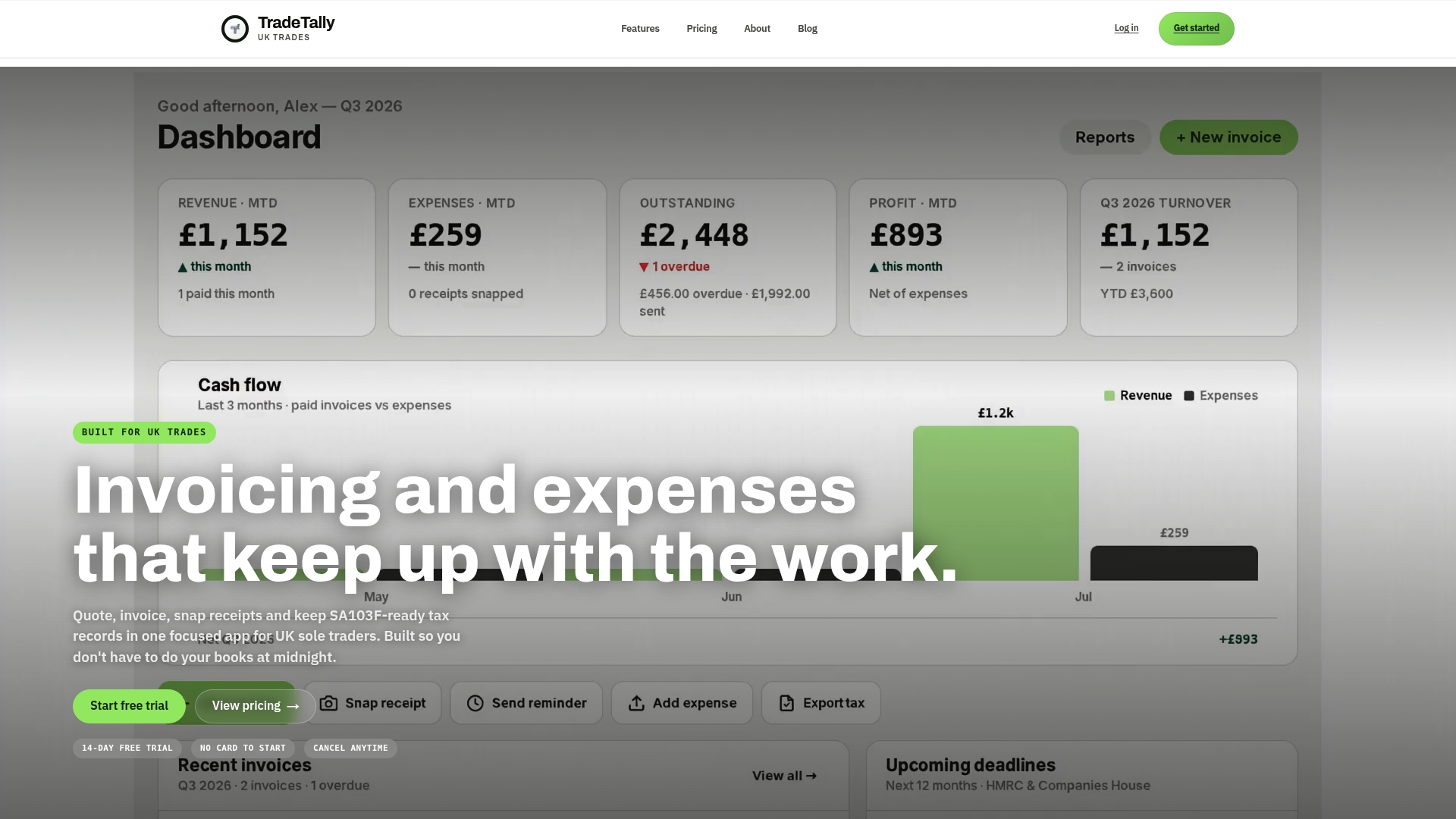
Branded invoices go out in seconds, receipts get logged the moment you snap them, and everything exports formatted for SA103F when Self Assessment season arrives, cutting the bookkeeping hours and the stress that usually comes with them. The Starter plan is free for limited invoicing, while the Professional plan unlocks unlimited invoices, receipts, and full tax exports for £12 a month or £120 a year.
If you’d rather test the workflow before your first mandated quarter lands, download the free sole trader tax and CIS checklist and start logging receipts in TradeTally now, well ahead of any deadline pressure.
Sources
- Making Tax Digital for Income Tax Self Assessment for sole traders and landlords
- MTD ITSA 2026: Landlord & Self‑Employed Guide | The Tax Lead
Always check the primary text for your exact circumstances, especially around exemptions and edge cases.
FAQ
Is there any free MTD software that’s HMRC-recognised?
HMRC maintains a list of recognised software providers, and some offer free tiers for very basic use, though most free options limit invoice or transaction volume. TradeTally’s Starter plan is free for limited invoicing, with the Professional plan at £12 a month or £120 a year unlocking full SA103F-ready exports.
Will HMRC tell me if I need to use MTD?
HMRC has said it will contact taxpayers it believes are in scope based on data already held from previous Self Assessment returns, but that outreach isn’t guaranteed to catch everyone, particularly if your income has grown recently. The safest approach is to check your own qualifying income against the threshold yourself rather than waiting for a letter.
How do I make my taxes digital for Income Tax Self Assessment?
Choose HMRC-compatible software, whether that’s full cloud accounting, a spreadsheet with a bridging tool, or a trade-focused app, then sign up for MTD for ITSA through your HMRC online account. From there you keep digital records throughout the year and submit cumulative quarterly updates followed by a Final Declaration.
Does MTD have to be linked to your bank account?
MTD doesn’t legally require a bank feed, but it does require digital links between your records and your submission software, and bank feeds are the most reliable way to achieve that without manual retyping. Without one, you risk breaking the digital link every time you copy a figure by hand, which is one of the most common causes of non-compliance.