Time Tracking for Trades: Cut Labour Costs
A mobile-first, job-coded, HMRC-ready time-tracking system is the fastest way for tradespeople to stop overpaying payroll, sharpen job costing and make tax time less painful. The next action is simple: pick an app that clocks staff in from the site, tags hours to a job, and exports straight into your records. TradeTally is a practical example of that setup, and starting a free trial with mobile capture switched on takes ten minutes.
TL;DR:
- Mobile time tracking apps must work offline and accurately sync data once signal is restored, especially during complex jobs or rural sites.
- Job-coded tracking helps improve job costing, reduce errors, and provides data for better future quotes and profitability analysis.
- Automated, export-ready timesheets directly improve payroll efficiency and help meet HMRC record-keeping requirements over five years.
- Running a pilot on a single site first ensures the app functions properly with your specific job types and verifies export formats before nationwide rollout.
- Selecting an app with GPS, biometric verification, and staged approvals is essential to prevent buddy punching and maintain a trustworthy audit trail.
Table of Contents
- How mobile time tracking for trades actually works in the field
- Features trades need: the checklist for choosing a job-ready time tracker
- How better time tracking improves payroll, job costing and business visibility
- How to choose and implement a time-tracking system that works for trades
- Linking tracked time to bookkeeping and HMRC readiness
- Time tracking is profitability infrastructure, not just a clock
- Get HMRC-ready time tracking running this week
- Sources
- FAQ
How mobile time tracking for trades actually works in the field
Time tracking for trades only earns its keep when it survives a wet Tuesday on a job with no signal. The workflow matters as much as the app itself, and it follows a predictable sequence from the moment someone arrives on site to the moment payroll gets paid.
- Job assignment: the operative selects (or is pre-assigned) the correct job code before clocking on, so every minute is attached to a project from the start.
- Clock in/stop: a single tap logs the start and end of work, plus breaks, without needing a paper sheet in the van.
- GPS and identity checks: geofencing confirms the device is actually on site, and device ID or biometric checks confirm who is clocking in.
- Offline caching: no signal on a basement rewire or a rural roof job is not a problem. The entry queues locally and syncs once a connection returns.
- Manager approval: a supervisor reviews and approves timesheets before they go anywhere near payroll.
- Payroll export: approved hours push straight into a CIS or PAYE-ready format.
Underneath that flow sit the technical controls that actually protect you in a dispute: server-verified timestamps (not just the phone’s clock), a logged device ID for every entry, and an audit trail showing who approved what and when. Staged approvals matter because they create a paper trail HMRC and your accountant can both trust. Digital events combining small fleet tracking on budget, device ID and biometric verification close the gap that lets one person clock in for a colleague who is still asleep in the van.
Features trades need: the checklist for choosing a job-ready time tracker
Most job time tracker apps look similar on a landing page. The differences show up on-site, in low signal, on a Friday when payroll runs. Before you commit, check the app against this list:
- Mobile-first UX with offline capture: clock-in should take one tap, and it must work with no signal.
- Job codes and task-level entries: hours need to attach to a specific job and task, not just a generic day rate.
- Rate cascading: the system should apply different pay rules automatically for overtime, weekend rates or apprentice bands.
- GPS geofencing and device or biometric verification: this is the single biggest lever against buddy punching.
- Automated timesheets with CIS/PAYE-ready payroll export: manual re-entry into payroll software is where errors creep in.
- Accounting integrations: time data should flow into your bookkeeping without a spreadsheet in between.
- Audit trail and HMRC retention: every entry needs a timestamp history you can produce years later if asked.
Pro Tip: Test offline mode before you buy anything. Switch your phone to airplane mode, clock in, then reconnect and check the entry actually synced. If it doesn’t, walk away.
Job-specific tracking for trades matters more than most apps admit. A generic clock-in/clock-out tool tells you how many hours someone worked. A job-coded one tells you how many hours a bathroom refit actually took versus what you quoted, which is the number that changes your next quote.
How better time tracking improves payroll, job costing and business visibility
Paper timesheets bleed money quietly. Rounding errors, buddy punching and missing entries add up, and industry analysis shows replacing paper timesheets with digital ones typically saves around 11% in labour costs by removing exactly those three problems.
Job-coded time data feeds directly into job profitability reports and work-in-progress figures, which is where tendering gets better. If a kitchen fit consistently runs 15% over the hours quoted, that shows up in the data long before the next client rings for a quote. Job costing best practice means allocating every labour hour, material cost and subcontractor invoice to a specific job, then reviewing those numbers at least monthly rather than finding out at year-end that three contracts quietly lost money.
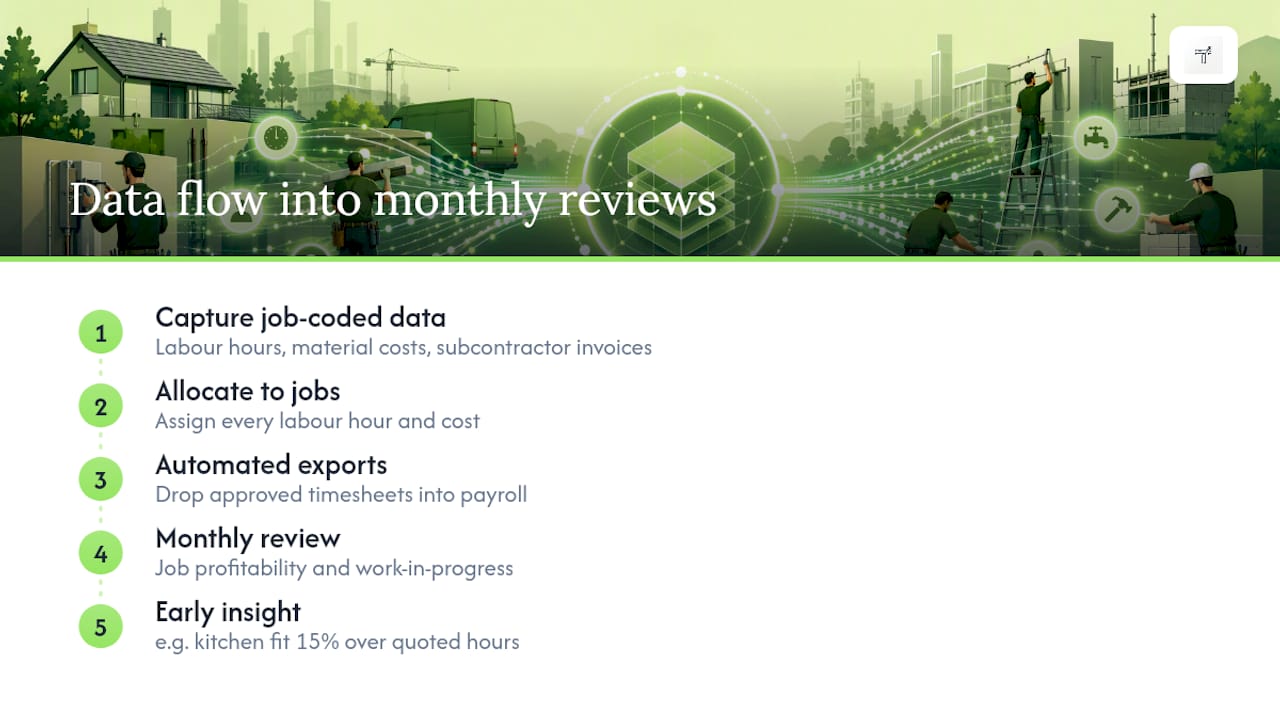
Automated exports also cut payroll processing time. Instead of a bookkeeper re-typing hours from paper sheets or spreadsheets, approved digital timesheets drop straight into a payroll run, which reduces both the hours spent and the errors that come from manual transcription.
How to choose and implement a time-tracking system that works for trades
Picking a system is the easy part. Getting your team to actually use it properly is where most rollouts stall. A short pilot beats a big-bang launch every time.
- Run a selection checklist first: confirm offline mode, export formats (CIS, PAYE), accounting integrations, and what support looks like when something breaks on a Friday afternoon.
- Pilot on one site or one team: pick a job with a mix of task types so you stress-test job codes properly.
- Define job codes before launch: agree a simple, consistent naming structure across all sites so reports are comparable later.
- Train supervisors, not just operatives: approvals sit with them, so they need to understand what a clean timesheet looks like.
- Run payroll in parallel for one cycle: compare the app’s output against your existing process before switching over completely.
When you’re speaking to vendors, ask direct questions: does the app work fully offline, not just “mostly”? What format does the payroll export actually land in? Is training included, or billed separately? A vendor who can’t answer the offline question clearly is a red flag.
Pro Tip: Don’t roll out to every site simultaneously. A single pilot site surfaces the awkward edge cases, like a job with three separate task codes in one day, before they cause a payroll headache across your whole workforce.
Linking tracked time to bookkeeping and HMRC readiness
HMRC requires self-employed people to keep records for at least five years after the 31 January filing deadline of the relevant tax year, and digital records are fully accepted. That single rule is why a time-tracking app that just logs hours isn’t enough. It needs to keep, export and organise those records in a form you can produce years later.
Job-coded time data does double duty here. It supports accurate work-in-progress and job profitability reporting month to month, and it feeds directly into your Self Assessment and CIS paperwork at year-end. Practically, that means:
- Hours tagged to jobs export cleanly into SA103F preparation instead of being reconstructed from memory in January.
- CIS deductions calculated against verified hours reduce disputes with contractors over what was actually worked.
- A digital audit trail satisfies HMRC’s record-keeping expectation without a shoebox of paper timesheets.
Most self-employed tradespeople default to the cash basis for recording income and expenses, and aligning your accounting dates to the tax year makes this simpler. With Making Tax Digital moving toward quarterly digital submissions for qualifying income over £50,000 from April 2026, having time and expense data already in digital form stops being a nice-to-have and starts being the difference between a calm quarter and a scramble.
Time tracking is profitability infrastructure, not just a clock
Most tradespeople treat time tracking as a payroll chore, something you do because HMRC or a client demands it. That’s backwards. The businesses that price jobs well and grow steadily treat their time data as the single source of truth for what a job actually costs, reviewed weekly, not discovered in January.
— Simon
Get HMRC-ready time tracking running this week
There are mobile apps offering job-tagged time capture, offline clock-in, receipt capture, and SA103F export ready for your accountant, designed around how self-employed tradespeople actually work, including from the cab of a van between jobs.
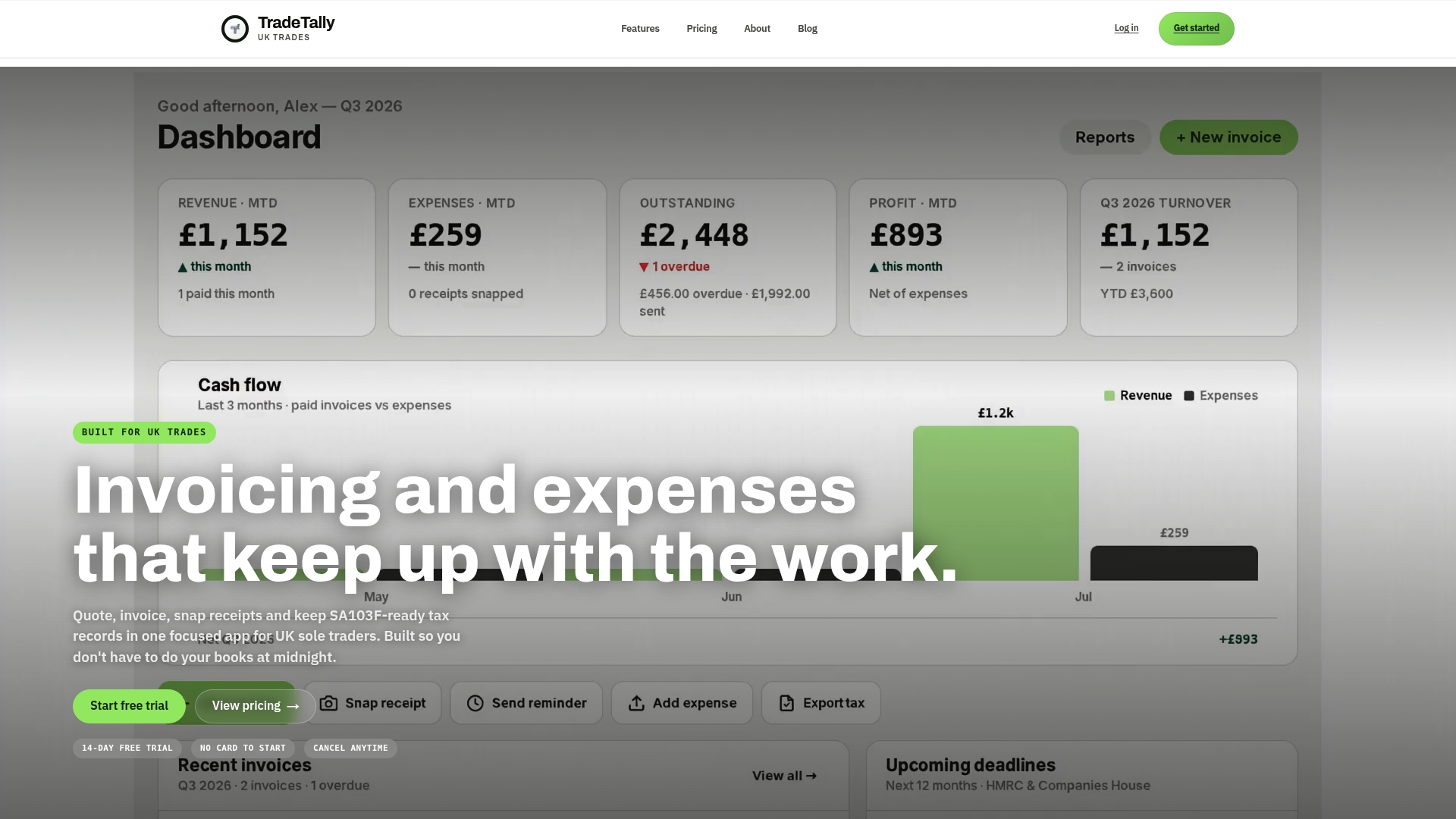
The practical next step isn’t a long evaluation process. Start on the free tier, run a one-week pilot logging hours against two or three job codes, then export a sample payroll sheet and send it to your accountant to check the format works for you. If you’re a fencer, window fitter, carpenter, shopfitter, renderer, insulation installer, security installer, EV charger installer, cleaning contractor, roofer or tiler, TradeTally has a page built around your trade, and the tax calculator is worth running once your job-coded hours start feeding real numbers into your job costing. Check current pricing before you commit beyond the free tier.
This article is general information, not a substitute for advice from a qualified financial advisor. Consult a qualified financial professional about your own circumstances before acting on anything here.
Sources
- Gov
- Making Tax Digital campaign site
- Digital timesheets for construction: Replace paper and save 11% | AttendIQ
- Job costing and project profitability for construction firms in London | GM Professional Accountants
FAQ
What Is the Best Way to Track Time for Trades?
The most reliable approach combines mobile clock-in, job codes and GPS verification so hours are captured accurately on-site and exported straight to payroll. Look for offline capture and audit-trail features that prevent buddy punching and satisfy HMRC record-keeping expectations.
How Long Do I Need to Keep Time and Payroll Records?
HMRC requires self-employed people to keep records for at least five years after the 31 January filing deadline of the relevant tax year. Digital records, including exported timesheets, are fully accepted for this purpose.
Does TradeTally Support Job Coding and Payroll Export?
TradeTally lets you tag time entries to specific jobs and export records ready for SA103F preparation and CIS reporting. Current pricing and plan details are available on the TradeTally pricing page.
How Much Can Digital Timesheets Actually Save?
Industry analysis shows businesses switching from paper to digital timesheets typically save around 11% in labour costs by eliminating rounding errors, buddy punching and missing entries. That saving grows once job-coded data also improves how future jobs get quoted.
What Should I Check Before Choosing a Time Tracking App?
Confirm the app works fully offline, exports in a CIS or PAYE-ready format, and integrates with your existing bookkeeping. A short pilot on one site, run in parallel with your current payroll process for one cycle, will expose any gaps before a full rollout.