Stop 2–4 day delays in the quote to invoice workflow for tradespeople
The quote-to-invoice process is the sequence that turns an accepted quote into a properly numbered, tax-correct invoice, ready to send and get paid. Get this right and every accepted job converts to cash without a manual scramble. The fastest version uses a trigger, such as a signed acceptance or a CRM stage change, to automatically generate the invoice from the quote’s own data.
TL;DR:
The accuracy of data mapping between quote and invoice fields, such as line items and tax codes, is critical to prevent errors in automated workflows.
Confirming acceptance with a signed signature or logged email is essential before converting a quote into an invoice to avoid discrepancies.
Using separate sequential numbering for quotes and invoices helps avoid confusion and maintains a clear audit trail.
Automating from a single source of truth, like a CRM or app that manages line items and payment terms, minimizes manual entry and reduces mistakes.
Tools like TradeTally streamline the process by automatically carrying over details and generating tax-ready records directly from mobile devices.
Table of Contents
-
How do you automate quote to invoice conversion without introducing errors?
-
What causes invoices to fail before they even reach the customer?
What are the stages of the quote to invoice workflow?
Every job you price runs through the same five stages, whether you track them on paper or inside dedicated software. Knowing where responsibility shifts from “sales mode” to “billing mode” is what stops jobs falling through the cracks.
A standard quote-to-invoice workflow moves through:
-
Quote creation. You define scope, materials, labour and price, and it goes to the customer as a proposal, not a bill.
-
Customer review and approval. The customer accepts by email, signature, or a simple “yes” on-site. This is the legal moment the job becomes billable.
-
Conversion to invoice. The accepted quote becomes a formally numbered invoice, either by hand or through an automated trigger.
-
Issue and send. The invoice goes out with dates, payment terms and a way to pay, ideally the same day the work finishes.
-
Payment tracking and reconciliation. You monitor whether it’s been paid, chase if it hasn’t, and match it against your bank feed.
On a one-person operation, you own all five stages yourself, which is exactly why so many sole traders lose track between “job done” and “invoice sent.” A handful of fields absolutely must carry across every stage without changing: line items and quantities, tax codes, payment terms, and the client’s billing details. Any mismatch here, a price that shifted, a tax rate that got typed wrong, is the single biggest source of invoice disputes later. Essential invoice fields also include a unique sequential number, issue and due dates, and clear payment instructions, none of which exist on the original quote.
How do you convert a quote into an invoice?
Converting a quote into an invoice isn’t complicated, but skipping a step is exactly how invoices go out with the wrong total or the wrong client name on them. Work through this checklist in order, every time.
-
Confirm acceptance and lock the trigger. Get a signed e-signature, an email reply, or a verbal yes logged somewhere. This is the moment that fires conversion, whether that’s a person clicking “convert” or software doing it automatically.
-
Copy the line items exactly. Description, quantity, and unit price move across unchanged. Don’t retype them; retyping is where numbers drift.
-
Assign a new, sequential invoice number. Quotes and invoices should run on separate numbering sequences, so a quote reference never gets mistaken for a paid invoice.
-
Set the issue date, due date, and payment terms. Payment terms of a few weeks are common for trades work; state them plainly rather than assuming the customer knows.
-
Reference the original quote number on the invoice. This gives you an audit trail if a customer queries the price later.
-
Deduct any deposit already taken, verify the tax calculation, and check the total matches the accepted quote before it goes out.
-
Add payment instructions, a bank transfer reference or a payment link, then send and log the invoice in your records.
Pro Tip: Send the invoice the same day the job is signed off wherever you can. Faster issuance shortens your days sales outstanding and the work is still fresh in the customer’s mind, which cuts disputes.
How do you automate quote to invoice conversion without introducing errors?
Automating this workflow only pays off if the underlying data mapping is right. Get the mapping wrong and you’ve simply automated the process of sending out mistakes faster.
Start with the fields that must map cleanly between your quote and invoice systems: item ID or SKU, description, quantity, unit price, tax code, and payment terms. Field mapping and a defined conversion trigger are the two components that make automated conversion reliable rather than risky.
-
Pick one primary trigger and rank the rest. An e-signature trigger suits a single-contract job. A CRM stage change works well if you separate sales from finance. Manual approval remains the safer option for bespoke, high-value work.
-
Set approval gate thresholds by deal size. A £150 boiler service call can convert instantly; a £4,000 kitchen refit probably shouldn’t, until someone checks it.
-
Build in a timeout. If a gated invoice sits unapproved for 24 hours, escalate it to a named person rather than letting it stall indefinitely.
-
Handle partial acceptance with conditional branches. If a customer accepts three of five quoted jobs, split the invoice or trigger a revision prompt rather than billing for work not agreed.
Removing manual handoffs between sales and billing is where the real time saving lives. Automated systems that pull customer data, populate line items, apply tax and send the invoice on approval cut out the two-to-four-day delay that manual re-entry typically adds.
Pro Tip: If you still work from a spreadsheet, don’t rebuild your whole process. Treat the quote’s “Approved” status as your single source of truth and generate invoices only from rows marked that way, using columns like QuoteID, ClientName, ItemDescription, UnitPrice, TaxCode and PaymentTerms, exactly as recommended in SheetMergy’s automation guide.
What causes invoices to fail before they even reach the customer?
Most invoice disputes trace back to the same handful of mistakes, and nearly all of them are catchable before the invoice ever leaves your outbox.
The most common failures are mismatched line items between quote and invoice, the wrong tax code applied, missing or unclear payment instructions, and duplicate or reused invoice numbers. Any one of these delays payment or invites a customer to query the whole bill.
Run these checks before every invoice goes out:
-
Does the invoice total match the accepted quote total, minus any deposit already paid?
-
Is the tax code correct for this type of work and this client?
-
Is there a clear payment method, bank details or a payment link, visible on the document?
-
Is the invoice number unique and does it follow on sequentially from your last one?
-
Does the invoice reference the original quote number for an audit trail?
If a job scope changed after the quote was accepted, don’t quietly adjust the invoice. Version the quote, note the change, and keep both documents on file. That paper trail is what protects you if a customer later disputes a price.
Which tools do you actually need for this workflow?
You don’t need to name a dozen platforms to understand what’s required. You need four categories of tool, each responsible for a different slice of the data.
A CRM or quote management tool owns the initial pricing and customer approval stage. An e-signature tool captures the legally binding acceptance that becomes your conversion trigger. Accounting or invoicing software generates, numbers and sends the actual invoice, and holds your tax records. A payment gateway or customer portal collects the money and feeds payment status back into your books.
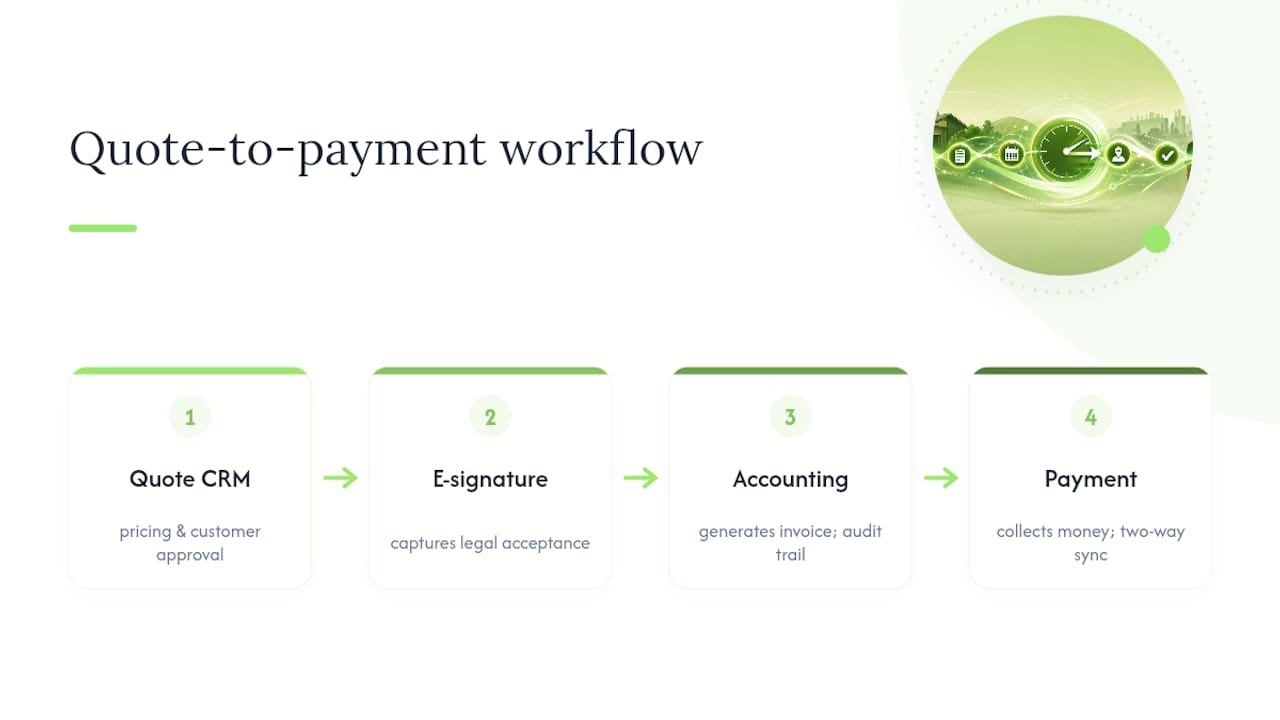
The integration test that matters isn’t how many logos a tool supports, it’s whether these four pieces share one source of truth. Two-way sync means a payment recorded in your bank feed updates the invoice status automatically, rather than you updating it twice in two places. An audit trail means you can trace any invoice back to its original quote months later. For a sole trader vetting tools, the real question is simpler than most software marketing suggests: does it map line items, tax codes and payment terms correctly, without you re-entering anything by hand?
How TradeTally handles quote to invoice for sole traders
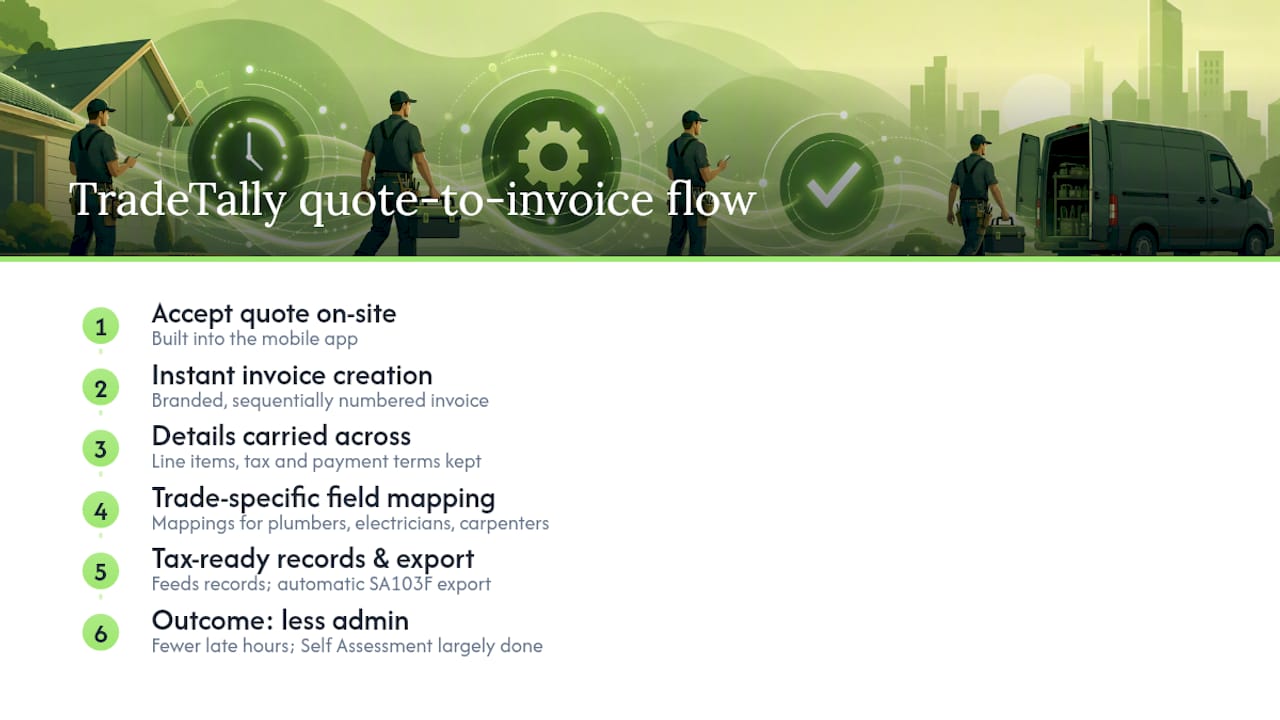
TradeTally builds this exact checklist into a mobile app rather than a desktop process. Accept a quote on-site and it converts to a branded, sequentially numbered invoice instantly, with line items, tax and payment terms carried across automatically rather than retyped.
Because it’s built for tradespeople specifically, the app’s field mapping already matches what plumbers, electricians and carpenters actually invoice for. Every invoice created also feeds straight into tax-ready records, with automatic SA103F export at year end. The practical effect is fewer hours lost to admin at 11pm in a van, and a Self Assessment return that’s largely done by the time it’s due.
What should you automate first?
If you’re starting from scratch, automate the boring, repeatable parts first: your invoice template, your payment link, and the trigger that fires conversion the moment a quote is accepted. Keep a manual approval gate on anything large, bespoke, or from a new client, where a second look genuinely matters. For sole traders specifically, doing all of this from your phone between jobs, rather than saving it for an evening at a laptop, is where the real time saving sits.
— Simon
Try TradeTally for your own quote to invoice workflow
TradeTally turns the checklist above into something you can actually run from a van between jobs, rather than something you catch up on at midnight. Quotes convert to branded invoices instantly once accepted, with line items, tax codes and payment terms carried across automatically, and every invoice feeds straight into tax-ready records with automatic SA103F export.
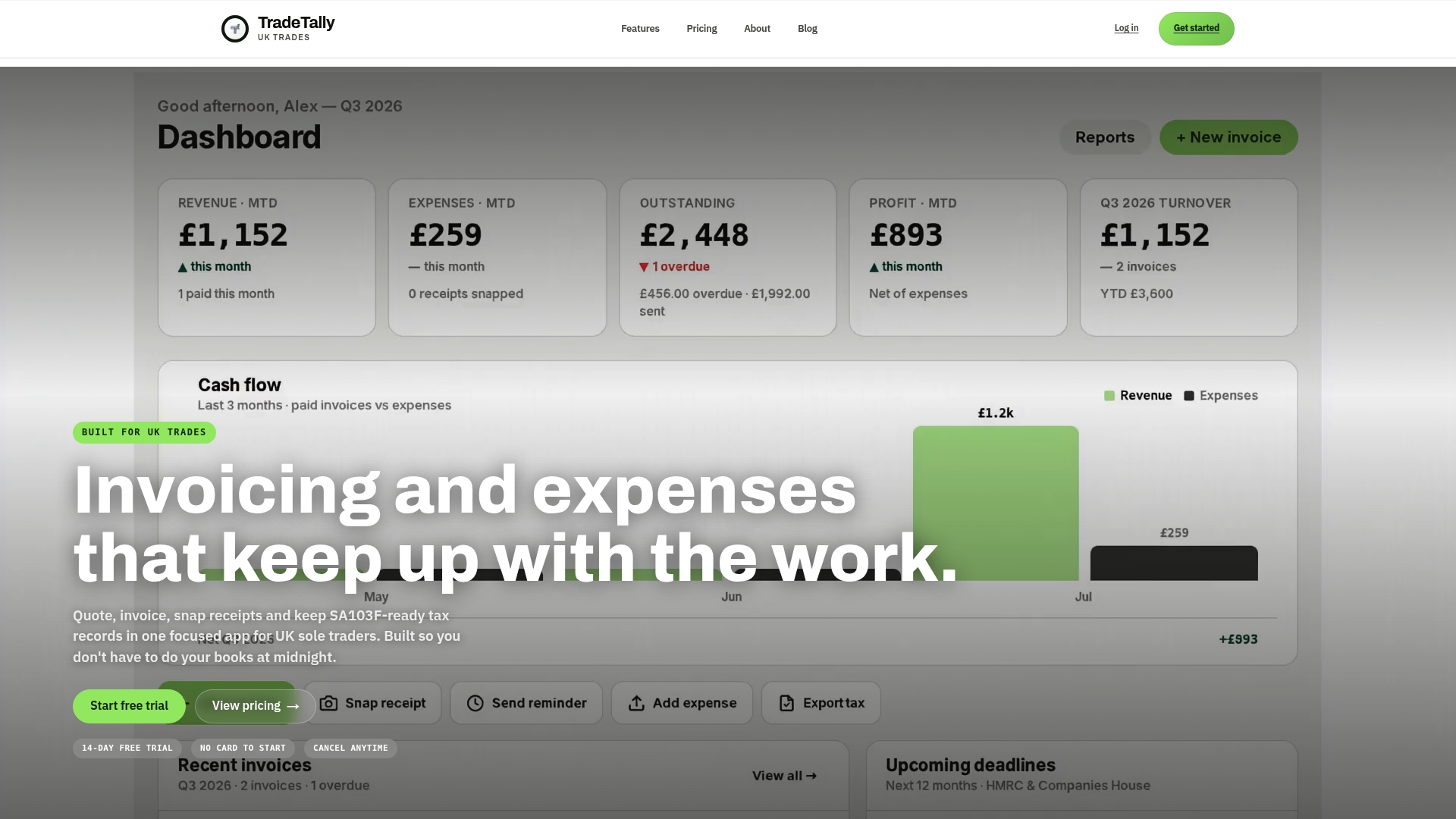
If you fit windows, work carpentry jobs, or run any trade where quotes turn into billable work, the window fitter invoicing tools and carpenter invoicing software pages show exactly how the app maps to your day-to-day. Start on the free tier, convert a real accepted quote, and see how long it actually takes. If you’re moving over from spreadsheets or another system, TradeTally’s support team can help with the migration so you don’t lose your invoice history in the switch.
Sources
Recommended
Ready to sort your trade admin?
TradeTally gives UK sole traders invoicing, expenses, and SA103F-ready tax exports in one mobile-first app.
Start 14-day Pro trial →No card required