Avoid £200 fines: MTD for ITSA mobile setup for UK trades & landlords
If your gross self-employment or property income is over £50,000, you must use Making Tax Digital for Income Tax from 6 April 2026, and your immediate task is to get compatible software in place before your first quarterly update is due. If you’re below that threshold, check the staged dates below. Either way, sign up with HMRC or confirm your status through your online services account now rather than waiting for the deadline to catch you out.
TL;DR:
- Only those with self-employment and property income over £50,000 in 2024/25 must start using MTD for ITSA from April 2026, requiring compatible software beforehand.
- The first quarterly update must be submitted within 4 months of the start date, with deadlines falling on the 7th of August, November, February, and May.
- HMRC’s soft landing in 2026 to 2027 means no penalty points are applied for late quarterly updates, but missed final declarations can still incur penalties.
- Digital records of all income and expenses must be kept and submitted via recognized software or bridged spreadsheets, and records must be retained for five years.
- Choosing between standard and calendar quarters affects start dates and lock-in points, but deadlines remain fixed at the 7th of each month, with no grace period for initial setup.
Table of Contents
- Who must use MTD for ITSA and when it starts
- Digital records, compatible software and what counts as an update
- Choosing your reporting quarters and hitting the deadlines
- Penalty points, the 2026 to 2027 soft landing and missed deadlines
- Signing up, checking your status and working with an agent
- A practical setup checklist for sole traders and landlords
- Why early preparation beats a last-minute scramble
- How TradeTally keeps your records MTD-ready without the evening admin
- FAQ
- Sources
Who must use MTD for ITSA and when it starts
Your qualifying income is the combined gross total from self-employment and property, added together before you subtract any expenses. HMRC looks at this figure from a previous tax year to decide when you fall into scope, so it’s worth checking your last return now rather than guessing.
The rollout happens in three stages, and Gov sets out exactly which year’s income determines which start date:
- Qualifying income over £50,000 in 2024/25 means you must start using MTD for ITSA from 6 April 2026.
- Qualifying income over £30,000 in 2025/26 means your start date is 6 April 2027.
- Qualifying income over £20,000 in 2026/27 means you join from 6 April 2028.
HMRC will write to taxpayers it believes are in scope, either through their online services account or by post, but the responsibility to check sits with you. If your income moves around from year to year, a quiet year could push you below a threshold and a busy one could pull you in early. Don’t wait for a letter: look at your figures and work out your own position.
Digital records, compatible software and what counts as an update
Once you’re in scope, three things become compulsory: keeping digital records, using HMRC-recognised software to maintain them, and sending quarterly updates instead of one annual return. None of these are optional extras bolted onto Self Assessment. They replace the old approach entirely.
A digital record means every item of business income and expense is entered into software as it happens, categorised correctly, rather than scribbled in a notebook and typed up months later. HMRC doesn’t supply this software itself. Instead, it maintains a finder tool pointing to recognised products, and you choose one that fits your business. If you’re attached to spreadsheets, you can keep using them, but only if you connect them to HMRC’s systems through bridging software.
Here’s what the quarterly cycle actually looks like in practice:
- Record every transaction digitally as it occurs, rather than batching months of paperwork at once.
- Submit a quarterly update summarising income and expenses for that period, a running total rather than a final figure.
- Repeat for each of the four periods in your chosen reporting year.
- Complete a year-end submission, finalising figures and adding any income MTD software doesn’t cover, such as savings interest or dividends.
- Confirm and submit your final declaration, which replaces the old Self Assessment return.
It’s worth being clear on what a quarterly update is not. It’s a running summary, not a tax calculation, and it doesn’t trigger a payment demand on its own. Your software needs to let you bolt on other income sources before that final submission, because MTD only covers self-employment and property income directly: everything else still needs adding by hand at year end.
Pro Tip: Reconcile your records at the end of each quarter rather than waiting until the deadline. Catching a miscategorised expense early is far easier than untangling four quarters of cumulative errors later.
Bridging software deserves a word of caution here. If your spreadsheet and your bridging tool don’t map cleanly to the fields HMRC expects, small errors can repeat themselves across every update you send, as HMRC’s developer guidance notes. A proper software package avoids this problem by handling the formatting for you.
Choosing your reporting quarters and hitting the deadlines
You get a choice here, and it’s one you should make deliberately rather than by default. Standard quarters follow the tax year, running from 6 April, while calendar quarters run from 1 April, lining up more naturally with a 31 March accounting date. HMRC’s guidance on quarterly updates confirms that whichever you pick, your digital records need to start from the beginning of that period, and the choice locks in once you’ve sent your first update for the year.
Whichever option you choose, the submission dates themselves don’t move. GOV.UK confirms the four statutory deadlines fall on 7 August, 7 November, 7 February and 7 May, with your final declaration still due by 31 January after the tax year ends.
| Update period | Deadline |
|---|---|
| 6 April to 5 July | 7 August |
| 6 July to 5 October | 7 November |
| 6 October to 5 January | 7 February |
| 6 January to 5 April | 7 May |
| Final declaration | 31 January (following year) |
For anyone joining from April 2026, that first quarter’s records need to start building from day one, as detailed in Self employed secured loan: your 2026 UK guide. There’s no grace period for getting organised once the clock starts.
Penalty points, the 2026 to 2027 soft landing and missed deadlines
MTD for ITSA uses a points-based penalty system rather than an automatic fine for every late submission. One point is added each time you miss a quarterly update or deadline, and reaching four points triggers a £200 fine, according to HMRC’s penalty guidance. Points expire after a period of consistent compliance, so one slip doesn’t follow you forever.
For the 2026 to 2027 tax year specifically, HMRC has built in a soft landing: no penalty points will be applied for late quarterly updates during that year. This doesn’t extend to your final return, though. Late final declarations still attract points and penalties under the standard rules, and the soft landing disappears once that transitional year ends.
If you do miss a deadline:
- Contact HMRC as soon as you realise, rather than waiting to be chased.
- Ask about a payment plan if the issue is cashflow rather than paperwork.
- Keep a written record of any calls or correspondence, including dates and reference numbers.
A missed update is recoverable. A pattern of missed updates with no contact on file is what turns into real financial pain.
Signing up, checking your status and working with an agent
Getting registered is more straightforward than most people expect, but it does need doing before your first deadline, not after.
- Gather your Government Gateway details, National Insurance number and details of your self-employment or property income.
- Check your HMRC online services account to see whether you’ve already been signed up automatically, something HMRC does when its records suggest you’re in scope based on a previous return.
- If HMRC has signed you up but missed an income source, such as a second rental property, update your details rather than assuming it will sort itself out.
- If you believe you qualify for a digital exclusion exemption, perhaps due to age, disability or location, you’ll need to apply directly to HMRC rather than simply opting out.
- If you use an accountant or bookkeeper, ask them to confirm agent authorisation on your account well before your first update is due, giving them time to prepare your records and software access.
Agents can act on your behalf for quarterly updates and the final declaration, but they can only do so once the authorisation is in place, so this isn’t something to leave until the week before a deadline.
A practical setup checklist for sole traders and landlords
Getting MTD-ready isn’t complicated, but it does reward doing things in the right order rather than scrambling once a deadline is close.
- Choose software that’s recognised by HMRC and suits how you actually work, whether that’s from a van between jobs or at a desk in the evening.
- Authorise the software to connect with your HMRC account before your reporting period begins.
- Set your reporting quarters (standard or calendar) and stick with that choice for the year.
- Start digital records from the first day of your chosen period, even if you sign up partway through.
- Submit your first quarterly update by its statutory deadline, then repeat the cycle.
If you’re joining MTD partway through a tax year, you’ll need to catch up by digitising records back to the start of your reporting period, as HMRC explains. This catches a lot of tradespeople out, because the assumption is often that record-keeping starts from sign-up date rather than from the tax year’s opening day. You’ll also need to keep digital records for five years, so whatever system you choose needs to store history reliably, not just the current quarter.
For sole traders in the trades, this is where mobile-first tools earn their keep. Snapping a receipt for materials on the way back to the van beats shoving it in the glovebox and hoping it survives until month end. TradeTally was built around that exact problem: receipt capture from your phone, branded invoicing sent from site, and records that export directly in SA103F format for Self Assessment. Our guide to preparing SA103F records walks through what a clean export looks like at year end.

Pro Tip: If you’re using bridging software with a spreadsheet, double-check the field mapping before your first submission. A mismatch here tends to repeat the same error every quarter, because updates are cumulative rather than independent.
A free sole trader tax and CIS checklist is worth downloading if you want a printable version of this process to tick off as you go.
Why early preparation beats a last-minute scramble
I’ve used TradeTally through a full tax year of invoicing and receipt capture, and the pattern that stands out is simple: the businesses that struggle with MTD are the ones treating it as a filing event rather than a habit. Quarterly updates reward people who record things as they happen.
My advice is to sign up as soon as you know your start date, not the week before. If your income sits near a threshold or your situation is unusual, an agent is worth the conversation. Getting it wrong costs more than getting advice early.
— Simon
How TradeTally keeps your records MTD-ready without the evening admin
TradeTally was built by a working tradesperson, which means it’s designed around the paperwork that actually follows a day on site, not generic bookkeeping software retrofitted for trades. Mobile receipt capture, branded invoicing sent before you’ve left the customer’s drive, and tax-ready exports formatted for SA103F mean your quarterly updates are built from records you’ve already captured, not reconstructed from memory in January.
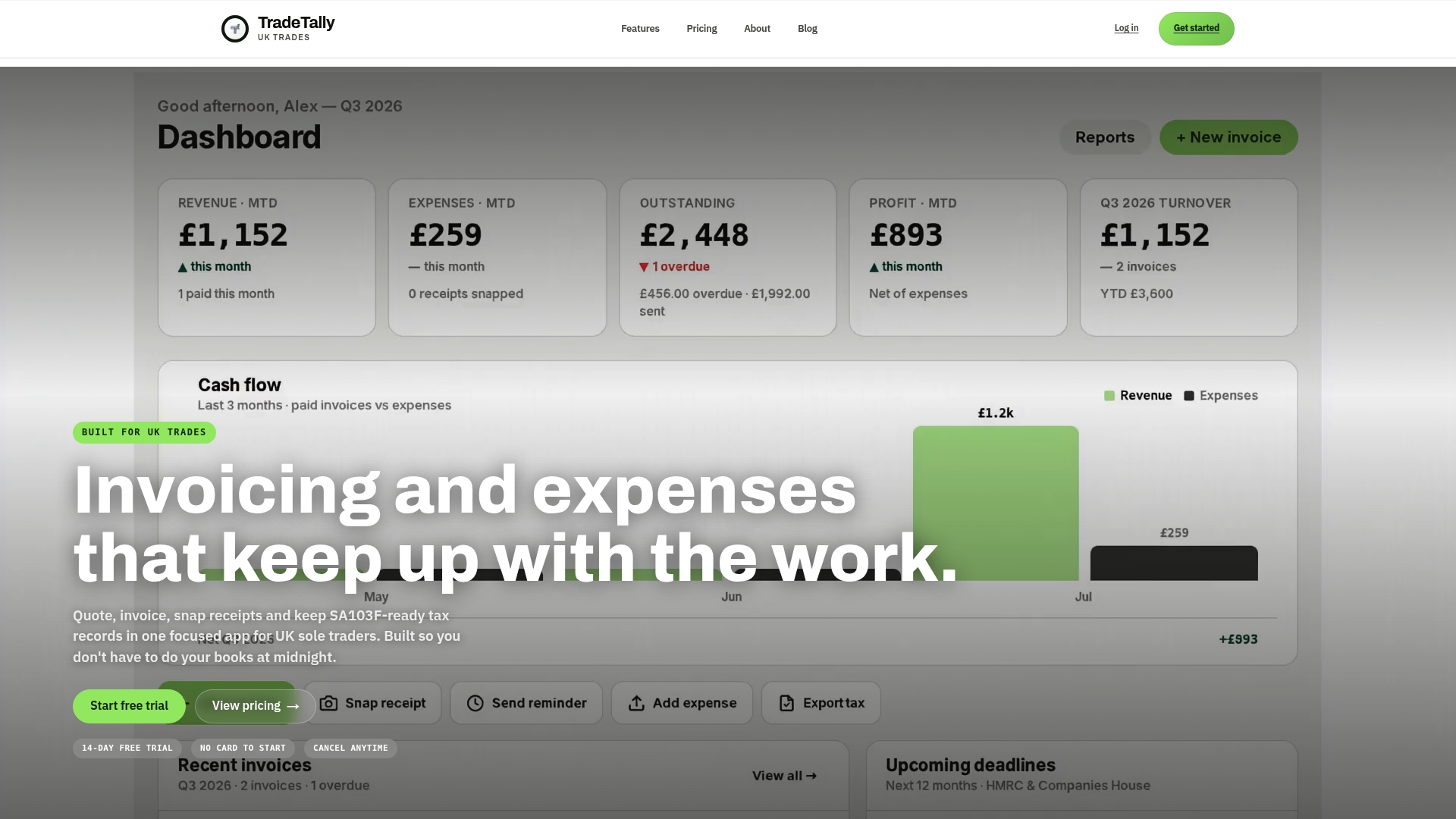
The available plans include a free starter option with limited invoicing and a professional option with additional features, including unlimited invoices, receipts and tax exports for sole traders preparing for MTD. Compare the plans and get started on TradeTally’s pricing page.
This article is general information, not a substitute for advice from a qualified financial advisor. Consult a qualified financial professional about your own circumstances before acting on anything here.
FAQ
Do all self-employed people have to go digital?
No, only those whose qualifying income from self-employment and property combined exceeds the relevant threshold for their tax year. Thresholds step down over time, from £50,000 for 2026, to £30,000 for 2027 and £20,000 for 2028, so those below the current threshold aren’t required to join yet.
Will HMRC tell me if I need to use MTD?
HMRC will usually contact taxpayers it identifies as being in scope, either through their online services account or by post, based on income reported in a previous return. However, you remain responsible for checking your own position, particularly if your income has changed or you have multiple income sources.
What records do I need to keep for MTD?
You need digital records of every item of business income and expense from self-employment and property, entered as transactions occur rather than summarised after the fact. These records must be kept in compatible software or a spreadsheet linked through bridging software, and retained for five years.
Do I need a business bank account for MTD?
No, MTD for ITSA doesn’t require a separate business account, though keeping personal and business transactions apart makes digital record-keeping considerably simpler. Many sole traders find that a dedicated account reduces the time spent sorting transactions each quarter, even though it isn’t a legal requirement.
Recommended
Ready to sort your trade admin?
TradeTally gives UK sole traders invoicing, expenses, and SA103F-ready tax exports in one mobile-first app.
Start 14-day Pro trial →No card required