Builders: Copy ready invoices for UK VAT, CIS and MTD on site
Create a clear invoice with the fields HMRC requires, flag CIS deductions or the VAT reverse charge where they apply, and keep digital records ready for Making Tax Digital. That means checking Gov invoice rules, understanding how the Construction Industry Scheme affects your figures, and using mobile-friendly software such as TradeTally so the admin gets done on site rather than at midnight.
TL;DR:
- Proper invoice sequencing and retention are crucial to avoid HMRC queries about missing or duplicate numbers, especially for sole traders.
- VAT and reverse charge rules require clear statements and documentation, particularly for construction services involving VAT-registered customers and subcontractors.
- CIS deductions must be shown accurately on invoices, with separate labour and materials, and contractors need to provide timely payment and deduction statements.
- Builder invoices should include job stages, variations, and site-specific details to support staged billing and variations approval.
- Digital, mobile-friendly invoicing software helps capture all necessary details, flags CIS and VAT specifics, and prepares records for Making Tax Digital compliance.
Table of Contents
- What a valid UK invoice must include
- VAT and the domestic reverse charge for construction services
- CIS: showing deductions and payment statements on invoices
- Builder-specific invoice template: fields and sample lines
- How to set payment terms and chase payments without wrecking client relationships
- Making Tax Digital and digital record-keeping for sole-trader builders
- Common invoicing mistakes on site and simple fixes
- How TradeTally helps builders create compliant invoices and stay MTD-ready
- FAQ
- Sources
What a valid UK invoice must include
Every invoice you send has to meet a basic legal standard, whether you are a sole trader joiner or running a five-person building crew. According to gov.uk guidance, a standard invoice needs a unique invoice number, your name and address (or your business name and an address where legal documents can reach you), the customer’s name and address, a clear description of the work, the date of supply, the invoice date, and the total amount owed. A full VAT invoice adds your VAT registration number, the VAT rate applied, and the VAT amount for each line.
- Use a short, specific description for each line, such as “Stage 2: first fix plumbing, 14 Oak Lane” rather than “building work”.
- Number invoices sequentially (INV-1001, INV-1002) so nothing gets skipped or duplicated in your records.
- Keep a copy of every invoice you issue. HMRC can ask to see these when checking your Self Assessment or VAT position.
A missing or duplicated invoice number is one of the most common reasons HMRC queries flag a sole trader’s records, so a simple sequential system saves far more hassle than it costs to set up.
VAT and the domestic reverse charge for construction services
Most building work carries standard-rate VAT if you are VAT-registered, but many services between VAT-registered contractors and subcontractors fall under the domestic reverse charge instead. Under the VAT domestic reverse charge rules, when the charge applies, you still issue a VAT invoice showing the usual required details, but you do not add VAT to the total. Instead, you state clearly that the reverse charge applies and that your customer must account for the VAT themselves.

If your invoicing software cannot display the reverse-charge amount automatically, note the statement on the invoice anyway and keep a separate record confirming the VAT figure your customer needs to declare.
Before applying the reverse charge, run through this checklist:
- Confirm your customer is VAT-registered and gives you their VAT number.
- Check whether the customer is the end user (reverse charge usually does not apply to end users) or reports under CIS.
- Keep written evidence of the customer’s VAT and CIS status alongside the invoice.
CIS: showing deductions and payment statements on invoices
The Construction Industry Scheme changes how payments between contractors and subcontractors are handled, and it affects what goes on the invoice. Under CIS contractor rules, contractors must deduct 20% from payments to registered subcontractors, or 30% from unregistered ones, calculated on the labour element only, never on materials.
- Deductions apply to labour and most on-costs, not to materials the subcontractor has genuinely paid for and can evidence.
- Contractors must give subcontractors a payment and deduction statement within 14 days of the end of each tax month.
- On your invoice, separate labour from materials clearly, so the CIS deduction is calculated on the correct amount and VAT is applied to the full value before any CIS deduction is taken off the payment.
Our CIS invoice software handles this split automatically, which removes one of the more fiddly parts of subcontractor billing.
Builder-specific invoice template: fields and sample lines
A builder’s invoice needs more structure than a generic template because jobs run in stages and often involve variations. Fields worth including every time: your business name and address, client name and site address (useful when you work for a letting agent or developer invoicing a different billing address), a client or job reference, the stage number, a labour and materials breakdown, any retention held back, and a note of approved variations.
- Stage 1, foundations and groundwork, labour £1,800, materials £950, retention 5% held per contract.
- Stage 2, first fix electrics and plumbing, labour £2,200, materials £1,100, variation: additional socket run approved by client on 3 March.
- Final account, snagging and handover, labour £600, retention release due 30 days after practical completion.
A short checklist for every invoice you send:
- Site address matches the one on the contract or quote.
- Stage number and description tie back to your payment schedule.
- Any variation is dated and references the client’s written approval.
For a ready-made starting point, our builder invoice template and free sole trader template are both set up with these fields already in place. Getting your pricing structure right before you even reach invoicing stage also helps, and background on how builders price a project is worth a look if your stage breakdown needs tightening.
How to set payment terms and chase payments without wrecking client relationships
Short-interval billing protects your cashflow far better than one invoice at the end of a long job. Industry guidance favours staged payments every 7 to 14 days on larger jobs, written into the contract from the outset rather than agreed informally once work is underway.
When a payment runs late, a measured sequence works better than going in hard straight away:
- Send a friendly reminder a few days after the due date, referencing the invoice number and amount.
- Follow with a formal written reminder, sent by a method you can prove was received.
- If nothing changes, escalate per your contract terms: this might mean statutory interest, a formal notice, or pausing further work until payment clears.
Pro Tip: Check any “pay less notice” you receive carefully. To be valid, it must state the sum and the basis of calculation and meet the contractual deadline; a notice served late or incorrectly can mean the full notified sum becomes payable regardless.
Our reminder templates for builders give you wording for each stage of that sequence, so you are not drafting a chase email from scratch when you would rather be on site.
Making Tax Digital and digital record-keeping for sole-trader builders
From 6 April 2026, sole traders with qualifying annual income over £50,000 must use Making Tax Digital for Income Tax, which means keeping digital records and sending quarterly updates to HMRC rather than one annual Self Assessment return.
Compatible software needs to capture each transaction digitally and submit updates on schedule. If you currently keep a spreadsheet, you will need bridging software that can send figures from it in the right format, or move to software built for MTD from the outset.
- Choose MTD-compatible software now rather than waiting until your first deadline is close.
- Digitise invoices as you issue them, so nothing needs re-entering later.
- Link every receipt to the invoice or job it relates to, and schedule time each quarter to review before submission.
Our MTD software for sole traders is built around this quarterly rhythm rather than bolted onto an annual one.
Common invoicing mistakes on site and simple fixes
The mistake we see most often is builders doing invoices from memory days after the job, which loses detail and delays payment. Photograph completed stages before you leave site, note the date and reference against your job file, and send the invoice that evening rather than at the end of the month. Mobile invoicing turns a dreaded Sunday-night task into a five-minute job from the van.
— Simon
How TradeTally helps builders create compliant invoices and stay MTD-ready
TradeTally is built around the reality that tradespeople do their admin from a van at the end of a long day, not at a desk. Mobile-first invoicing captures labour and materials separately, flags CIS deductions, and supports reverse-charge wording, so the fiddly VAT and CIS detail that catches builders out gets handled as you invoice rather than fixed later.
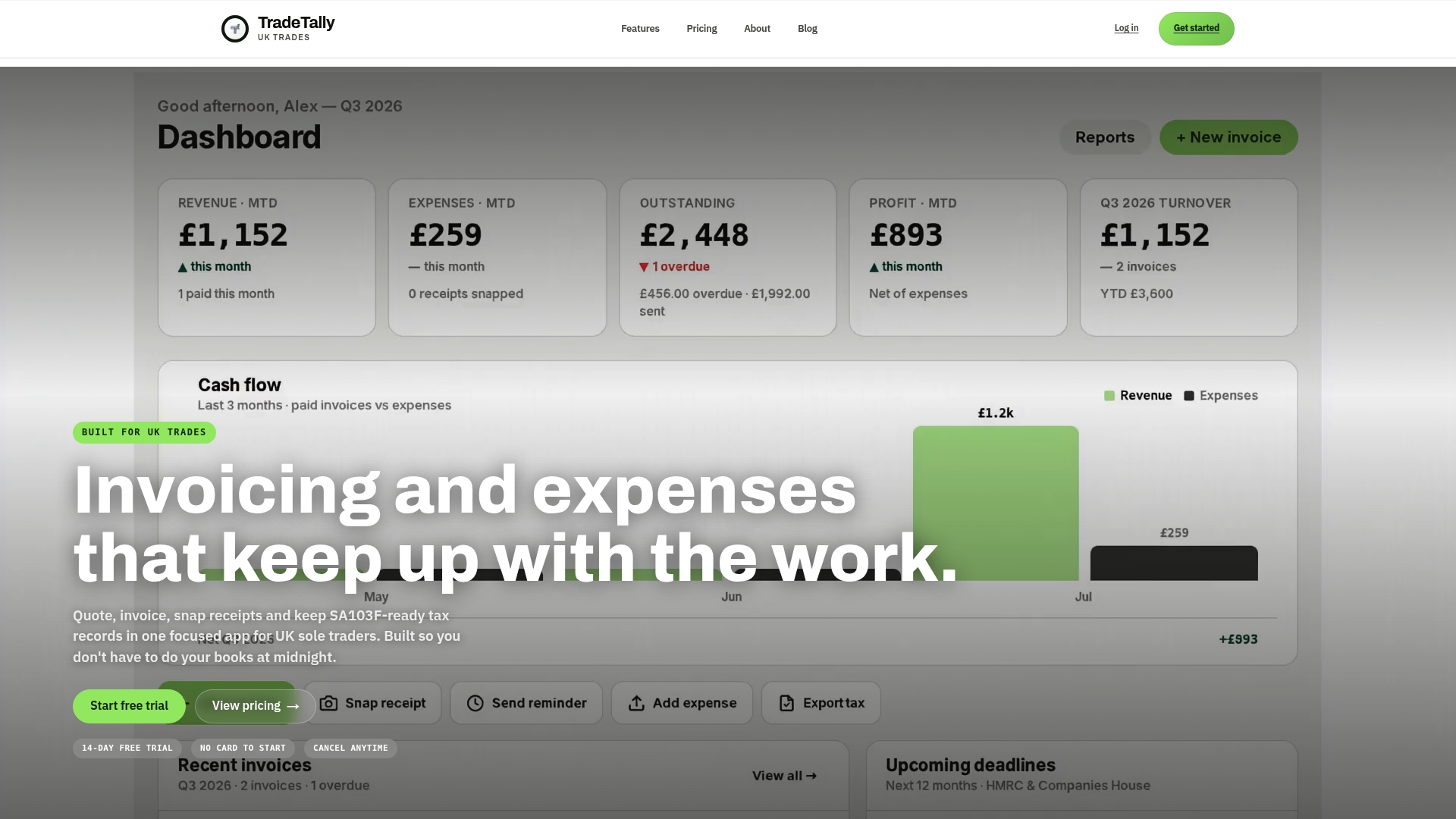
- Create and send invoices from site in minutes.
- CIS-aware fields split labour and materials automatically.
- Export records formatted for SA103F when Self Assessment time comes round.
Instant invoicing and automatic SA103F export save the kind of evening admin that builds up quietly across a tax year.
| Plan | Price | Best for |
|---|---|---|
| Starter | £0 per month | Occasional invoices and getting started |
| Professional | Refer to the pricing page for details | Unlimited invoicing and full tax exports |
| Professional (annual) | Refer to the pricing page for details | Same features, paid yearly |
Pro Tip: Start on the free Starter plan to see how the invoice fields work for your trade before committing to a paid plan.
Our pricing page breaks down what each plan includes, and you can start creating invoices on the TradeTally homepage today.
FAQ
What are the legal requirements for invoices in the UK?
A UK invoice must include a unique invoice number, your name and address, the customer’s name and address, a description of the work, the supply date, the invoice date and the total owed, as set out in gov.uk invoicing guidance. VAT-registered businesses issuing a full VAT invoice must also show their VAT number, the rate charged and the VAT amount per line.
Is there a time limit to issue an invoice in the UK?
There is no fixed statutory deadline for issuing an invoice, but VAT-registered businesses should generally issue a VAT invoice within 30 days of the supply to keep their VAT records accurate. Issuing promptly also protects your cashflow and keeps payment terms running from a clear date.
Can I issue an invoice without VAT?
Yes, if you are not VAT-registered you simply issue a standard invoice without adding VAT or a VAT number, and you must not charge VAT on your prices. Once you register for VAT, every invoice needs to meet the full VAT invoice requirements set out by HMRC.
How to invoice in the UK?
Include the legally required fields, apply VAT or the reverse charge correctly if you are registered, and account for any CIS deduction before stating the amount due. Using CIS-aware invoicing software keeps these calculations consistent and reduces the chance of a dispute over the final figure.
Recommended
Ready to sort your trade admin?
TradeTally gives UK sole traders invoicing, expenses, and SA103F-ready tax exports in one mobile-first app.
Start 14-day Pro trial →No card required