UK Tradespeople: Accountant Handover Checklist With SA103F Export
The fastest way to hand your books to an accountant is a single indexed folder containing sales invoices, purchase receipts, bank statements, CIS slips and mileage logs, ideally packaged as searchable PDFs or a tax-ready SA103F export. Tools like TradeTally can generate that export directly from your phone. Get this right and you save your accountant hours, and save yourself the fee for them doing it.
TL;DR:
- Most handovers benefit from a clearly labeled folder with searchable PDFs of invoices, bank statements, and an export in the correct tax format to save time.
- Accurate and complete documents include all issued sales invoices, proof of purchases, and full bank and CIS statements; missing slips can trigger HMRC inquiries.
- Exporting data in a structured manner, with consistent file naming and flattened folder hierarchy, speeds up the review process for your accountant.
- Records must be kept for at least five years after the relevant tax year deadline, and estimated figures should be flagged as provisional to avoid inaccuracies.
- A formal disengagement note and written sharing consent help ensure a smooth transition when switching accountants, avoiding duplication and missed deadlines.
Table of Contents
- Complete handover checklist: documents to gather and why each matters
- How to export and package records
- How long to keep records and what to do with gaps
- Permission, disengagement notes and GDPR when switching accountants
- Verification checklist and common pitfalls before you send files
- Clarifying roles between outgoing and incoming accountants
- Why this checklist is built around real trade life
- Get your handover done faster with TradeTally
- FAQ
- Sources
Complete handover checklist: documents to gather and why each matters
Every accountant works from the same basic building blocks. Miss one and they will either chase you for it or estimate a figure, which can cost you accuracy and sometimes money.
- Sales invoices: include every invoice issued in the tax year, with date, customer, net amount, VAT if registered, and gross total. These figures form the backbone of your turnover on the SA103F.
- Purchase invoices and receipts: keep proof for materials, tools, subcontractors and overheads. A bank line alone is not proof, you need the receipt or invoice behind it.
- Bank and card statements: select statements that cover the full accounting period and include any card-machine or payment-provider summaries showing fees deducted before the money hits your account.
- CIS deduction statements: gather every contractor’s monthly statement and reconcile the totals. A missing slip is one of the most common causes of HMRC queries for tradespeople working under the Construction Industry Scheme.
- Mileage records or simplified expenses: supply a mileage log if you use the flat rate, or fuel and running-cost receipts if you claim actual costs. You must pick one method and keep the matching records.
- Stock, work-in-progress and capital purchases: note any unsold stock at year-end and flag larger purchases like vans or tools separately, since these get different tax treatment.
Add a one-line summary at the top of the folder stating your accounting basis (cash or accrual), the period covered and anything still outstanding. That single line often saves your accountant an email back to you asking the same thing.
How to export and package records
A folder full of loose photos is not a handover. Structure beats volume every time; for practical advice on structuring and migrating data and folder structures, see this practical guide for UK SMEs.
- Convert invoices and receipts to searchable PDFs. Most phone cameras and scanning apps can do this; it means your accountant can search text rather than squint at images.
- Export bank transactions as CSV files, one per account, covering the exact tax year.
- Produce a tax-ready export where you can. An SA103F export pulls your income and expense categories into the format your accountant actually works from, cutting out a layer of manual sorting.
- Name files consistently: something like “2025-26_Sales_Invoices” or “2025-26_Bank_Statement_Q1” lets anyone find what they need in seconds.
- Flatten folders rather than nesting them five deep. One top folder per tax year, with clearly labelled subfolders, is all most accountants need.
If you already run your invoicing and receipts through TradeTally, branded invoicing and automatic receipt capture mean most of this structure already exists before you start, and the SA103F export turns a week of chasing paperwork into a single download.
Secure transfer matters as much as format. A cloud link with view-only permissions and an expiry date is safer than emailing a zip file, and a passworded zip sent separately from its password is a reasonable fallback if your accountant insists on email.
Pro Tip: Photograph receipts flat, in good light, straight after the purchase, then back them up weekly rather than leaving months of paper on the dashboard.
How long to keep records and what to do with gaps
HMRC requires you to keep business records for at least five years after the 31 January submission deadline for that tax year. You must keep records for at least five years after the 31 January submission deadline for the relevant tax year.
If something is missing, do not leave a blank. Use a provisional or estimated figure, mark it clearly as an estimate in your handover summary, and tell your accountant so they can correct it once the real document turns up. HMRC commonly checks receipts and bank statements against declared income, so gaps in either are the records most likely to trigger a follow-up question.
Permission, disengagement notes and GDPR when switching accountants
Changing accountants is where most handovers go wrong, usually because nobody confirms who is responsible for what in writing.
Send a short email authorising your new accountant to request information from your previous one, this removes any doubt about consent. Ask your outgoing accountant for a disengagement or status note, which the ICAEW recommends as good practice. It should list the cut-off date for work completed, any outstanding filings, and who is responsible for Making Tax Digital submissions going forward.
On data protection, avoid sending financial records over unprotected email. A secure portal or a time-limited cloud link keeps you GDPR-compliant and limits how long your personal data sits exposed. Put MTD responsibility in writing too, so quarterly updates do not fall through the gap between two accountants.

Verification checklist and common pitfalls before you send files
A few minutes of checking before you hit send prevents most of the back-and-forth that drags out a handover.
- Reconcile sales totals against bank receipts and list anything that does not match.
- Match CIS totals to contractor statements, chasing any slip that is missing before you send the folder.
- State your accounting basis clearly so there is no ambiguity between cash and accrual figures.
- Flag one-off and capital transactions such as van purchases or equipment sales, rather than burying them in general expenses.
- Include a simple index or spreadsheet mapping each folder to its totals, so your accountant can spot a gap in thirty seconds rather than an hour.
Skipping this step is the single biggest reason accountants charge extra for “data cleaning” before they can even start the return.
Clarifying roles between outgoing and incoming accountants
When you switch accountants, the handover is not only between you and them, it is also between two firms who need to agree where one job ends and the other begins. Without that clarity, tasks get duplicated, deadlines get missed, or worse, nobody files anything because each side assumes the other has it covered.
Ask your outgoing accountant to confirm, in the disengagement note, exactly which year and which filings they completed. Ask your incoming accountant to confirm in writing what they are picking up from that point forward, including any in-progress Self Assessment return or outstanding CIS reconciliation. If you are mid-way through a Making Tax Digital quarter, agree explicitly who submits that update, since digital record-keeping responsibilities can fall between two sets of software if nobody claims them.

This matters most around the January filing deadline. If your handover happens in December and nobody has confirmed who is filing the return due the following month, you risk a late submission that is entirely avoidable with one short email. Treat the disengagement note and the new engagement letter as two halves of the same document, and read them together before you consider the switch complete.
Why this checklist is built around real trade life
We built this checklist around what actually happens on a job: receipts stuffed in a glovebox, invoices sent from a van between callouts, and bookkeeping that gets done at 11pm if it gets done at all. Mobile invoice and receipt capture turns that into minutes rather than evenings.
Our practical tip: take the photo the moment you get the receipt. Waiting until you’re home means half of them end up lost in a jacket pocket.
— Simon
Get your handover done faster with TradeTally
We built TradeTally around the exact admin this checklist describes, because most of it happens on site, not at a desk.
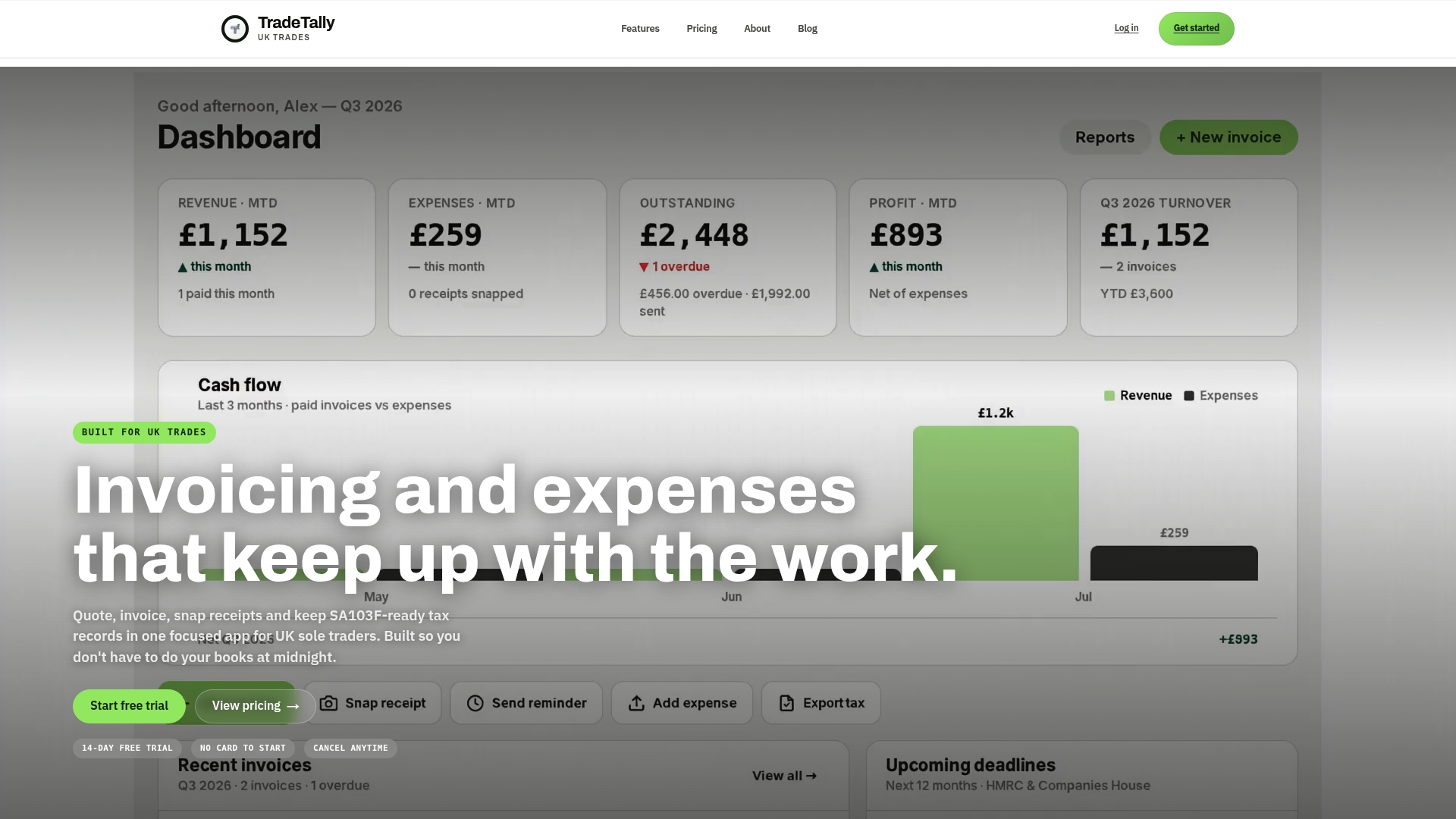
- Invoicing features can help ensure sales records are complete and dated correctly, avoiding end-of-year reconstruction.
- Receipt capture features help keep purchase invoices organised as you go.
- Automatic SA103F export features can turn a year of records into the format your accountant needs, in one download.
- Trade-specific templates help invoicing match how various trades operate.
If you want to see what a finished handover folder looks like before you commit to anything, our free sole trader tax and CIS checklist is a good place to start. When you are ready for the full toolset, our Professional plan is £12 a month or £120 a year, with a free Starter plan available for anyone who wants to try branded invoicing first.
FAQ
What documents should go in an accountant handover checklist?
At minimum, include sales invoices, purchase invoices and receipts, bank and card statements, CIS deduction statements if you work in construction, and mileage records or actual cost receipts. Add a short summary noting your accounting basis and any outstanding items so your accountant can spot gaps immediately.
How long do I need to keep my accounting records?
HMRC requires self-employed people to keep business records for at least five years after the 31 January submission deadline for that tax year. For most sole traders this means retaining invoices, receipts and bank statements well beyond the year they relate to.
What is an SA103F export and why does it matter for handovers?
The SA103F is the Self-employment (full) section of the Self Assessment return, and the official notes explain exactly what information accountants need from a sole trader. An SA103F export from a bookkeeping app formats your figures to match those boxes directly, which is why tools like TradeTally include it as a built-in export.
What should I do if I’m missing a receipt or invoice?
Use a provisional or estimated figure rather than leaving a blank, and flag it clearly in your handover notes so your accountant knows it needs confirming later. This keeps your return realistic while giving your accountant the chance to correct it once the document turns up.
What happens when I switch accountants partway through a tax year?
Ask your outgoing accountant for a disengagement or status note, which the ICAEW recommends as standard practice when a client moves on. It should list the cut-off date for completed work, any outstanding filings, and who takes responsibility for ongoing Making Tax Digital submissions.
Sources
Recommended
Ready to sort your trade admin?
TradeTally gives UK sole traders invoicing, expenses, and SA103F-ready tax exports in one mobile-first app.
Start 14-day Pro trial →No card required