CIS Statements: What Subcontractors Must Check
A CIS payment and deduction statement (PDS) is the written record of every gross payment and any CIS tax your contractor has deducted. Contractors must give it within 14 days after the tax month ends, where each tax month runs from the 6th of one month to the 5th of the next. Save every statement you receive, and check the UTR, gross amount, materials figure, and deduction against your own invoices before you file anything.
TL;DR:
- Contractors must issue a CIS statement within 14 days after the end of each tax month, which runs from the 6th of one month to the 5th of the next.
- Each statement must include specific details such as your UTR, gross payment, material costs, deduction amount, and, if applicable, verification reference numbers, especially for higher deductions.
- Missing or incorrect statements can typically be resolved by requesting duplicates from contractors or contacting HMRC, ideally before the filing deadline.
- Routine monthly reconciliation of CIS statements against invoices and bank records prevents year-end errors and simplifies Self Assessment reporting.
- Record-keeping should include the statement, invoices, payment proof, material receipts, and VAT documents, with digital capture recommended for efficiency.
Table of Contents
- What is a CIS statement, and how often should you get one?
- Mandatory fields: a checklist to verify every statement
- When must a CIS statement be issued?
- Using CIS statements for your Self Assessment
- Missing or incorrect statement? Here’s what to do
- Record-keeping checklist and digital capture tips
- Why monthly reconciliation beats end-of-year panic
- TradeTally: built for the CIS admin that follows a day on site
- Sources
- FAQ
What is a CIS statement, and how often should you get one?
The document goes by a few names in the trade: payment and deduction statement, PDS, or simply “CIS statement.” They all mean the same thing. It’s the paperwork a contractor must hand you whenever they’ve deducted CIS tax from a payment, and it’s your proof that the tax has actually been paid over to HMRC on your behalf, not just promised.
Contractors have some flexibility in how they issue these. A statement can arrive as:
- A paper copy handed over or posted
- A fax (rare now, but still technically valid)
- An electronic version, but only if you’ve both agreed to it, and it needs to be something you can save and print
On frequency, HMRC allows contractors to issue one consolidated statement covering the whole tax month, or a separate statement for every individual payment. Either approach is fine. What isn’t fine is skipping a tax month entirely when a deduction has been made. If you’ve had money taken off a payment in that period, a statement has to follow.
Mandatory fields: a checklist to verify every statement
Before you file anything away, run your eye over these fields. The official template sets out exactly what has to appear on a compliant statement:
- Contractor’s name and their employer tax reference
- The tax month end date, or the specific payment date it covers
- Your name and Unique Taxpayer Reference (UTR), or your company registration number if you’re operating through a limited company
- Gross amount paid, excluding VAT
- Cost of materials deducted before the CIS calculation
- Amount liable to deduction, amount actually deducted, and amount payable to you
- Your personal verification number, but only where the higher deduction rate has been applied
Pro Tip: If a statement is missing the verification number and you were charged the higher rate, that’s not a minor formatting slip. It usually means the contractor hasn’t verified you properly with HMRC, and it’s worth raising before you assume the deduction figure is correct.
Contractors must also record verification reference numbers on their own monthly returns to HMRC, alongside each affected subcontractor, under CIS 340 guidance. So if your number is missing from the statement, there’s a decent chance it’s missing from their return too.
When must a CIS statement be issued?
Timing here isn’t guesswork. It follows a fixed cycle:
- A tax month runs from the 6th of one month to the 5th of the next. So 6 May to 5 June is one complete tax month.
- The contractor then has 14 days from that tax month end to issue your statement. For a tax month ending on the 5th, the statement must be issued within 14 days after that date, typically by the 19th of the following month.
- That 19th date isn’t a coincidence. It lines up with the contractor’s own HMRC deadlines, they must submit their monthly return and pay over deductions by the 19th for postal payment, or the 22nd if paying electronically.
If your statement hasn’t turned up by the 19th, the contractor is already late. That’s worth flagging early rather than waiting until tax season to notice a gap.
Using CIS statements for your Self Assessment
Your PDS isn’t just a courtesy document. It’s the evidence you rely on to claim credit for tax already deducted when you complete your Self Assessment return.
Work through it like this:
- Match every PDS total against your own invoices and bank records before you assume the figures are right
- Watch for consolidated statements covering several payments. It’s easy to double count a payment if you’re also holding separate statements for individual jobs within the same tax month
- Enter the total deductions as tax already paid on your SA103F, or the equivalent section of a full return
- Keep a running per-month total rather than trying to reconstruct a year’s figures in January
Pro Tip: Reconcile as you go, not at year end. A missing or wrong statement is a five-minute fix in the same month it happens. Chasing it eight months later, when the contractor’s bookkeeper has moved on, is a very different conversation.
A guide like TradeTally’s Self Assessment walkthrough covers how CIS deductions map onto the SA103F in more detail if you want the full filing sequence.
Missing or incorrect statement? Here’s what to do
Statements do go astray, especially with smaller contractors juggling several sites. Work through this order:
- Ask the contractor directly for a duplicate. This resolves most cases. If you’ve previously agreed to electronic delivery, confirm that agreement still stands and check your spam folder before assuming nothing was sent.
- If the contractor won’t or can’t provide one, perhaps because they’ve stopped trading, write to HMRC and ask them to supply the payment information. Include your name, your UTR, the contractor’s details, and the specific payment dates in question.
- Where you have access to HMRC’s online services, check what’s recorded against your record before writing in. It won’t always show every field a PDS carries, but it can confirm whether deductions were reported at all.
Response times from HMRC vary, so don’t leave this until the week before your filing deadline.
Record-keeping checklist and digital capture tips
For every payment you receive under CIS, keep these together:
- The PDS itself
- Your invoice for that job or period
- Proof of payment, a bank statement line is usually enough
- Receipts for any materials you supplied and claimed
- VAT documents, if you’re VAT registered
HMRC expects records to be kept for at least six years, so a shoebox of receipts from three years back isn’t optional clutter, it’s still live evidence. Name your files consistently, contractor, tax month, payment date, and you’ll never be hunting through a phone gallery at 11pm trying to work out which invoice matches which statement.
Pro Tip: Snap the PDS the moment it lands, even a paper copy photographed on site. A statement that only exists as a text on your phone gets lost the day you upgrade handsets.
This is where a mobile capture habit earns its keep. TradeTally’s CIS invoice tools let you photograph and store statements alongside the invoice they relate to, and its free CIS checklist and CIS calculator are worth running your own figures through before you rely on a contractor’s arithmetic.
Why monthly reconciliation beats end-of-year panic

The subcontractors who struggle at tax time almost always share one habit: they treat CIS statements as paperwork to file rather than figures to check. A verification number missing here, a materials cost that doesn’t match an invoice there, none of it looks urgent in the month it happens. By January, it’s a dispute with a contractor who’s forgotten the job.
Routine monthly reconciliation catches errors while they’re still cheap to fix. Keep the statement next to the invoice and the bank entry, every month, and Self Assessment becomes a data entry exercise rather than a forensic one.
— Simon
TradeTally: built for the CIS admin that follows a day on site
TradeTally is the practical alternative to chasing paper statements in a van door pocket, built by a working tradesperson for the reconciliation work this article just walked through. Instead of matching PDS figures against invoices by hand, the software’s CIS calculator checks your deduction arithmetic on the spot, and its receipt capture stores statements and materials receipts against the right job automatically, while its SA103F export pulls those totals straight into your Self Assessment.
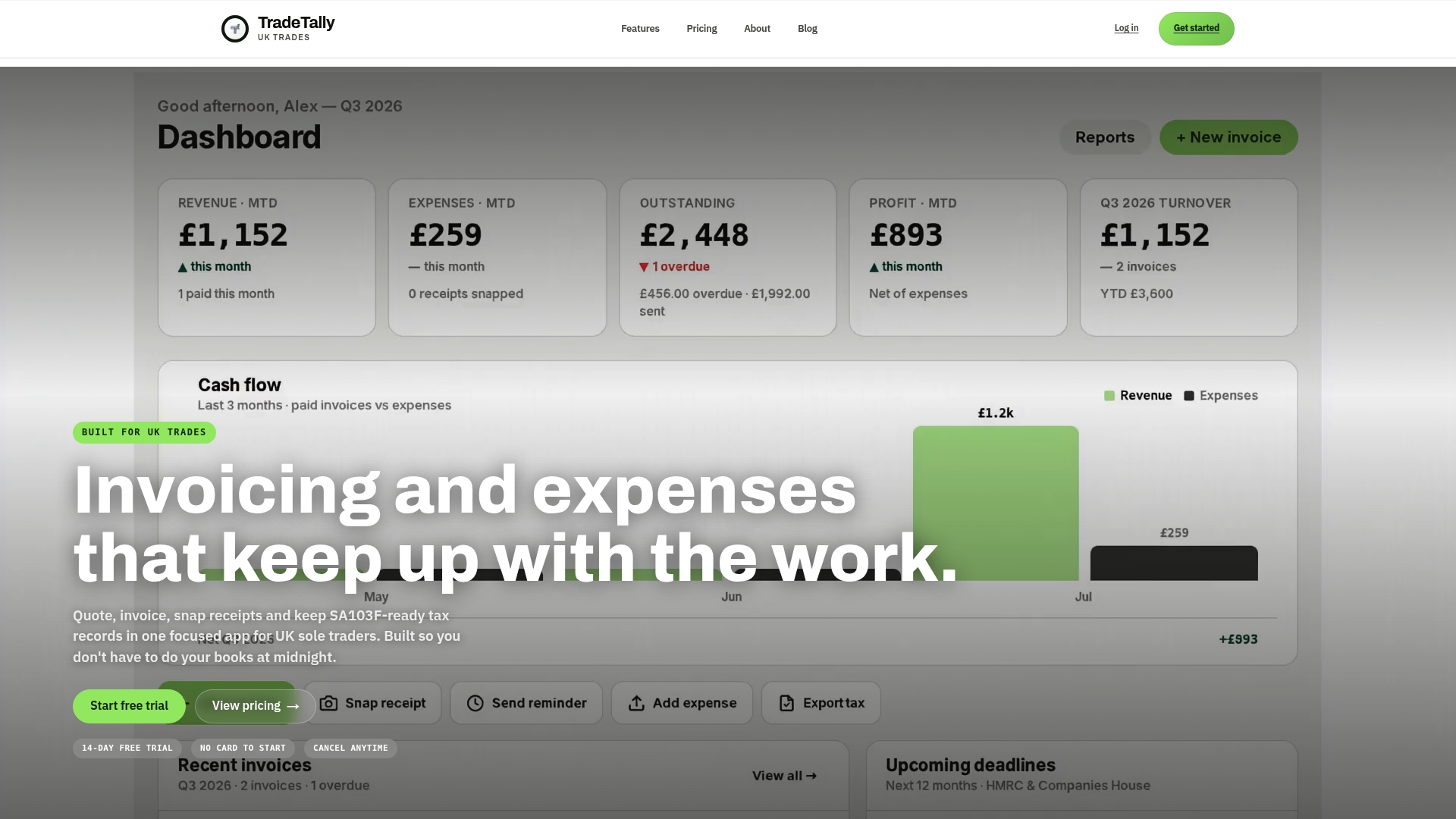
That means less time hunting for a June statement in November, and a cleaner set of records if HMRC ever asks for payment details. The Starter plan is free, and the Professional plan runs £12 a month or £120 a year for unlimited invoices, receipts, and tax exports. Try the free calculator on your next payment, then decide whether the full toolkit is worth adding.
Sources
- Construction Industry Scheme payment and deduction statement (PDF)
- CISR12160 - The Scheme: contractors: subcontractor’s payment and deduction statement
FAQ
How can I obtain a CIS statement?
Ask your contractor first, since they’re legally required to issue one within 14 days of each tax month end. If they can’t or won’t provide it, perhaps because they’ve stopped trading, you can write to HMRC with your UTR and payment dates and request the payment information directly.
What are CIS statements?
A CIS statement, or payment and deduction statement, is the written record a contractor gives you showing gross payment, materials costs, and any tax deducted under the Construction Industry Scheme. You use it as evidence when claiming credit for deductions already made on your Self Assessment return.
How do I check my subcontractor CIS status online?
HMRC’s online services let verified users check their CIS registration and deduction status once they’ve signed in with their Government Gateway details. A tool like TradeTally can help you track the deductions and gross figures reported to you month by month, so any mismatch shows up before filing rather than after.
Do subcontractors need to submit CIS returns?
No, monthly CIS returns are the contractor’s responsibility, not yours. As a subcontractor, your job is to keep every PDS, reconcile the deduction totals against your own invoices, and report them as tax already paid on your Self Assessment or SA103F.